To prevent chargebacks on Shopify, stop fraudsters before they reach checkout. Most fraud chargebacks start with a stolen card that was tested and then used from a VPN, a proxy, or a bot. If you block those visitors at the storefront, the bad order never exists: no lost goods, no chargeback fee, and no hit to your dispute ratio.
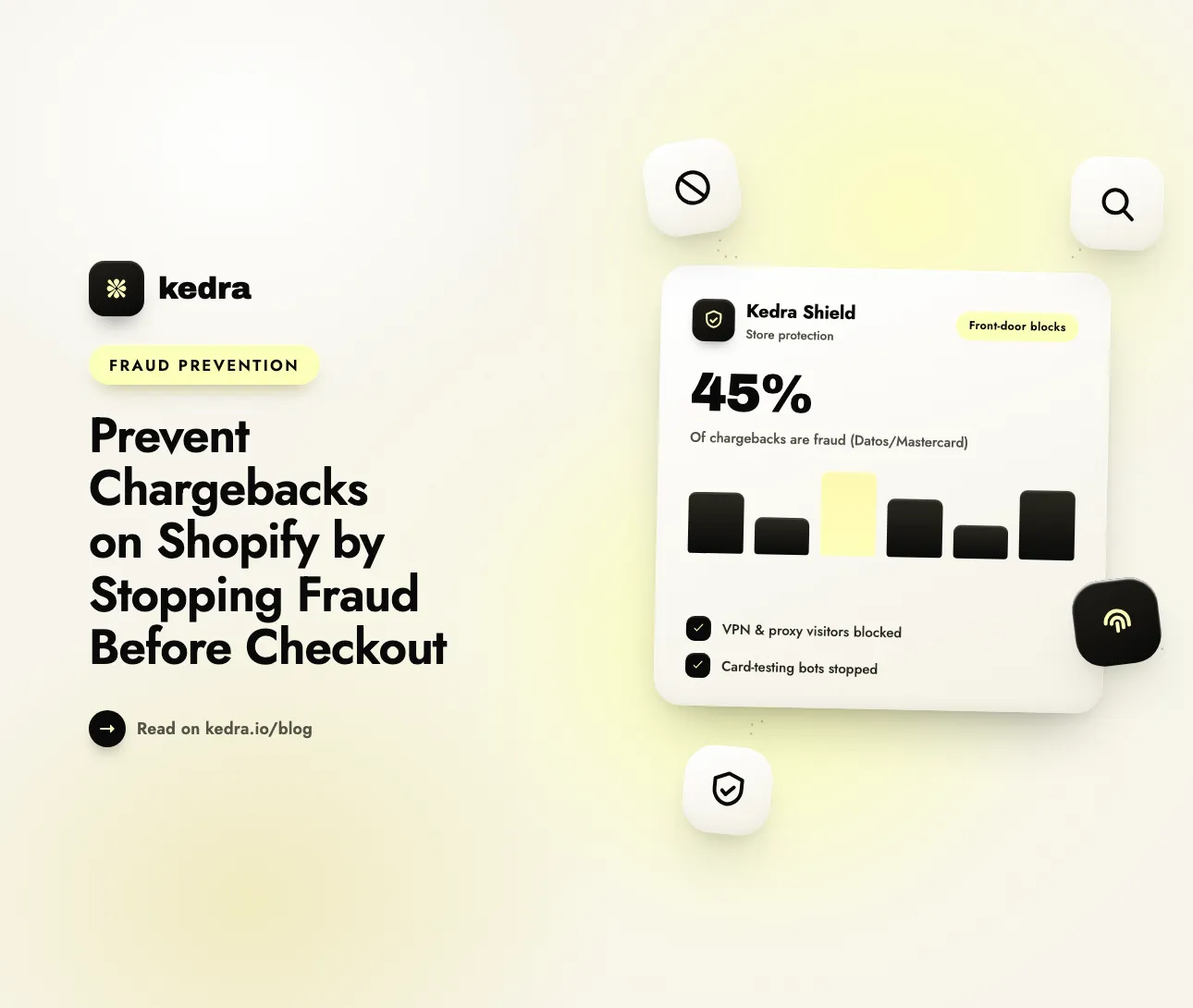
Why it matters: chargebacks are growing, and a large share of them come from fraud, not from service problems. The 2025 State of Chargebacks report by Datos Insights and Mastercard (covered by Tearsheet, April 15, 2025) found that “fraudulent chargebacks, including first-party fraud and third-party fraud, account for 45% of chargeback volume globally.” The same report expects global chargeback volume to reach 324 million by 2028.

On this page
- What does “front-door” chargeback prevention mean?
- What does one fraud chargeback really cost a Shopify store?
- How do fraudsters get from your storefront to a chargeback?
- Why isn’t Shopify’s fraud analysis enough on its own?
- The 5 front-door layers that prevent fraud chargebacks
- How to set up front-door protection with Kedra Shield
- Which chargebacks can front-door security not stop?
- Frequently Asked Questions
What does “front-door” chargeback prevention mean?
Front-door chargeback prevention means screening every visitor at the storefront and blocking high-risk traffic before it can add to cart, start checkout, or place an order. Most chargeback advice starts after the order: review it, hold it, fight the dispute. Front-door prevention moves the check earlier, to the moment a visitor first loads your store.
The idea is simple. A chargeback needs an order. An order needs a checkout. A checkout needs a visitor who got through your store. Each step is a chance to stop fraud, and the earliest step is the cheapest one:
| Where you stop fraud | What it costs you | What you still lose |
|---|---|---|
| At the storefront (visitor blocked) | Nothing | Nothing |
| At checkout (order blocked) | Nothing | Nothing, but bots may have run card tests first |
| After the order (you cancel and refund) | Staff time to review | The original transaction fees, in most cases |
| After shipping (chargeback filed) | Goods, shipping, $15 fee | The full order value, plus a hit to your dispute ratio |
Front-door security does not replace order review. It shrinks the number of risky orders that reach review in the first place, so your team spends time on real edge cases instead of obvious fraud.
What does one fraud chargeback really cost a Shopify store?
A fraud chargeback costs the full order value, the goods and shipping you already paid for, a chargeback fee you only get back if you win, and the time spent on the dispute. On Shopify Payments, the Shopify Help Center says “the disputed amount and a chargeback fee are withdrawn from your account” when a chargeback is filed. The fee in the United States is $15 USD, and it is only returned if you win.
Winning a fraud dispute is hard. When a real cardholder says “I didn’t make this purchase,” your shipping proof does not show that the cardholder placed the order. Shopify also gives you a short window: you usually have 7–21 days to respond, and the card company’s review “can take up to 75 days after you submit.” After the bank rules, “there’s no appeal process and the decision is final.”
The bigger risk is your dispute ratio. In 2025 Visa merged its fraud and dispute programs into one, the Visa Acquirer Monitoring Program (VAMP). VAMP counts fraud reports (TC40) plus disputes (TC15) and divides them by settled card-not-present transactions. Merchants in the U.S., Canada, EU, and Asia Pacific are flagged as “Excessive” at a ratio of 2.2% (lowered to 1.5% on 1 April 2026). Shopify’s own fraud analysis page warns that a high number of chargebacks “can result in the deactivation of payment processing and removal from Shopify Payments.”
For a deeper breakdown of the hidden costs, see our post on the true cost of every dollar lost to fraud.
Not sure how exposed your store is? Run the free, 3-minute Shopify Security Audit to see which front-door gaps you have before you change any settings.
How do fraudsters get from your storefront to a chargeback?
A typical third-party fraud chargeback follows four steps: the fraudster tests stolen cards, hides their location, places a real-looking order, and the cardholder disputes it weeks later. Every step happens on your storefront or checkout, which is why the storefront is the right place to stop it.
- Card testing. Bots run hundreds of small payments to see which stolen cards still work. Recorded Future’s 2025 payment fraud research found that “Telegram-based card testing services validated at least 27 million card records in 2025.” It also found that 94% of the merchants abused for card testing had not been seen before, because “card testers cycle through new merchants specifically because historical tester merchants get flagged.”
- Masking. The fraudster connects through a VPN, a residential proxy, a hosting network, or Tor so the IP address seems to match the card’s billing country.
- The order. The fraudster buys high-resale items, often with a different shipping address, a disposable email, or a reused checkout link.
- The dispute. The real cardholder sees the charge and reports it to their bank. Your store gets a fraud chargeback, often after the goods have shipped.
Card testing hurts even when no goods ship. Visa’s VAMP also tracks an enumeration ratio, the share of authorization attempts that are card-testing, and expects acquirers to keep merchants below 20%. Our guide on how to spot and stop card-testing attacks on Shopify covers the warning signs in detail.

Why isn’t Shopify’s fraud analysis enough on its own?
Shopify’s fraud analysis rates orders after they are placed, so it can tell you an order is risky, but it cannot stop the visitor who placed it. It is a useful second line, not a front door.
In the Shopify admin, open Orders, click an order, and look at the Order risk section. According to the Shopify Help Center, the recommendation “indicates whether an order has a low, medium, or high risk of a chargeback due to fraud.” It checks AVS and CVV results, whether the customer’s location matches the payment method, unusual device or network activity, and whether the customer tried more than one card.
That leaves three gaps:
- It acts too late. By the time an order is flagged, the card test already ran and the transaction already went through.
- It leaves the decision to you. Shopify suggests “Consider canceling this order,” but you still have to review, cancel, and refund. And “Shopify doesn’t cover charge reversals from banks.”
- It doesn’t learn for your store. A flagged order does not block the same IP address from coming back with another stolen card tomorrow.
This is why the best setup uses Shopify’s fraud analysis together with storefront blocking, not instead of it.
The 5 front-door layers that prevent fraud chargebacks
The five layers are: block masked traffic, block bots, block high-risk locations and networks, validate checkout, and turn fraud orders into blocks. Each layer covers a gap in the others.
- Block VPN, proxy, and Tor traffic. Masked connections let fraudsters fake their location. Block high-risk VPNs and proxies, but allow normal privacy users such as Apple’s iCloud Private Relay. Our guide on why fraudsters love VPNs explains the trade-off.
- Block bots and automation tools. Card-testing scripts use headless browsers and tools like Puppeteer and Selenium. Stopping them at page load stops the tests before they reach your payment gateway.
- Block high-risk locations and networks. If you never ship to a country, block it. If one hosting network or ISP (ASN) keeps sending fraud, block the network, not just one IP.
- Validate checkout. Block known fraud emails, disposable email domains, and postal codes tied to past chargebacks. Block checkouts that skip your storefront through reused checkout links.
- Close the loop. When Shopify flags an order as high risk, block that buyer’s IP so the same fraudster can’t try again.
The first three layers run at the storefront. The fourth runs inside Shopify checkout. The fifth feeds what you learn from orders back to the storefront, so protection gets better with every attempt.
How to set up front-door protection with Kedra Shield
Kedra Shield runs all five layers: it checks each visitor on page load through a theme app embed, validates checkout with a Shopify Function, and can auto-block the IPs of fraud orders. Here is the setup, using the app’s real setting names.
- Install and turn on the app embed. Install Kedra Shield from the Shopify App Store. Then go to Online Store > Themes > Customize > App embeds, switch Kedra Shield on, and click Save. No rule runs without the embed.
- Block masked traffic. Open VPN & Bot Blocker and turn on VPN & Proxy Blocking. Leave Block all VPN users off, so only high-risk VPNs are blocked, and leave Allow business VPNs on.
- Block bots. Turn on Bot Protection in regular mode. Leave Block crawlers off so Google and Bing can still index your store. Use strict blocking only if bots keep getting through.
- Block locations and networks you don’t serve. Use the country blocker for markets you never ship to. On paid plans, add the city blocker and Block ISP/ASN for networks that keep sending fraud. Our ISP blocking guide shows how to pick them.
- Validate checkout (paid plans). Open Checkout Protection and add rules that block specific emails, email domains, countries, or postal codes. Switch on Block disposable email domains. Blocked buyers see your message at checkout, and no order is created.
- Stop fake checkouts (paid plans). Turn on Fake Checkout Blocker. It starts in a monitor mode that tags genuine shopper sessions and measures coverage from your real orders, and “nothing is ever blocked in this mode.” Once coverage is ready, switch on blocking to stop bots that reuse checkout links to place orders.
- Close the loop. Open Analytics > Fraud Orders. Every order Shopify flags appears with its risk score and IP. Click Block IP on any order (all plans), or on paid plans switch on Auto-Block Fraud IPs with a risk threshold (default 70%).
Kedra Shield also holds cart and checkout requests (/cart/add, /cart/change, /checkout) until the visitor check finishes. A blocked visitor’s add-to-cart or checkout request fails, even if the page already loaded. Bots that skip your storefront entirely and reuse checkout links are what Fake Checkout Blocker is for. The check is fail-open: if it takes longer than 3 seconds, the shopper continues, so real customers are not locked out during an outage.
Plan note: the Free plan includes the IP and country blockers, fraud order analytics, and up to 10 VPN/proxy blocks. Paid plans start at $7.99/month and add unlimited VPN and proxy blocking, the city and ASN blockers, Checkout Protection, Fake Checkout Blocker, and fraud IP auto-blocking.
Install Kedra Shield and lock your store’s front door. Setup takes about five minutes.
Which chargebacks can front-door security not stop?
Front-door security stops third-party fraud from stolen cards, but it cannot stop friendly fraud from real customers who dispute a purchase they made. Be clear about this limit before you judge results.
Friendly fraud (first-party fraud) comes from a real buyer on a normal connection. They pass every storefront check because they are not a bot and not hiding. Their dispute reasons are usually “item not received,” “not as described,” or “I don’t recognize this charge.” Fix these at the source:
- Use a clear billing descriptor so buyers recognize the charge on their statement.
- Ship with tracking and send delivery confirmation emails.
- Make refunds easy. A quick refund is cheaper than a lost dispute.
- Set checkout rules for risky order types. For example, cap cash on delivery order values, or hide COD and bank transfer when the billing and shipping countries don’t match. Our companion post on chargeback prevention with checkout rules lists the exact rules.
Storefront blocking also has a technical limit. Some bots use residential proxies, which look like normal home connections. Nothing catches 100% of them, which is why Checkout Protection and the fraud-order loop matter as backup layers.
Track the right metric. After you set up front-door protection, watch your fraud-reason chargebacks and blocked-visitor count, not total chargebacks. In the Shopify admin, go to Orders, click Add filter, and choose Chargeback and inquiry status to see your open and resolved disputes.
Frequently Asked Questions
Can you prevent chargebacks on Shopify before an order is placed?
Yes, for fraud chargebacks. Most fraud chargebacks start with a stolen card used by a bot or a masked visitor. A storefront security app such as Kedra Shield blocks VPN, proxy, Tor, and bot traffic on page load, and checkout validation blocks known fraud emails and postal codes. If the order is never placed, there is nothing to dispute.
Does Shopify charge a fee for every chargeback?
On Shopify Payments, a chargeback fee is withdrawn along with the disputed amount when the chargeback is filed. The fee is $15 USD in the United States and differs by country. According to Shopify’s Help Center, the fee is returned if you win the chargeback. If the customer wins, you lose both the order amount and the fee.
Will blocking VPNs stop real customers from buying?
It can if you block every VPN. Many real shoppers use privacy tools such as Apple’s iCloud Private Relay or a work VPN. The safer setup blocks only high-risk VPNs and proxies and allows business VPNs. In Kedra Shield, that means turning on VPN & Proxy Blocking while leaving “Block all VPN users” off.
Does Shopify’s fraud analysis stop chargebacks?
Not by itself. Shopify’s fraud analysis rates an order as low, medium, or high risk after it is placed. You still have to review, cancel, and refund risky orders yourself, and Shopify does not cover charge reversals from banks. It works best as a second layer behind storefront blocking.
What chargeback ratio is too high for Visa?
Under Visa’s Acquirer Monitoring Program (VAMP), merchants in the U.S., Canada, EU, and Asia Pacific are flagged as “Excessive” at a ratio of 1.5% from 1 April 2026, down from 2.2%. The ratio counts fraud reports plus disputes, divided by settled card-not-present transactions. Merchants need at least 1,500 fraud reports and disputes in a month to be flagged.
Can front-door security stop friendly fraud?
No. Friendly fraud comes from real customers on normal connections, so they pass storefront checks. Reduce it with a clear billing descriptor, tracked shipping, easy refunds, and checkout rules for risky order types. Front-door security handles the stolen-card fraud; good operations handle the rest.
The bottom line
Chargeback prevention starts at the front door. Visa’s own fact sheet says that “strengthening risk management, particularly in reducing fraud, disputes and enumeration, helps protect the ecosystem and its participants.” For a Shopify store, the cheapest place to do that is the storefront: block masked and automated traffic, validate checkout, and turn every flagged order into a block. Keep Shopify’s fraud analysis as your second line, and fix friendly fraud with clear operations.
Install Kedra Shield on the Shopify App Store to block fraudsters before they reach checkout, or see everything Kedra Shield protects first.