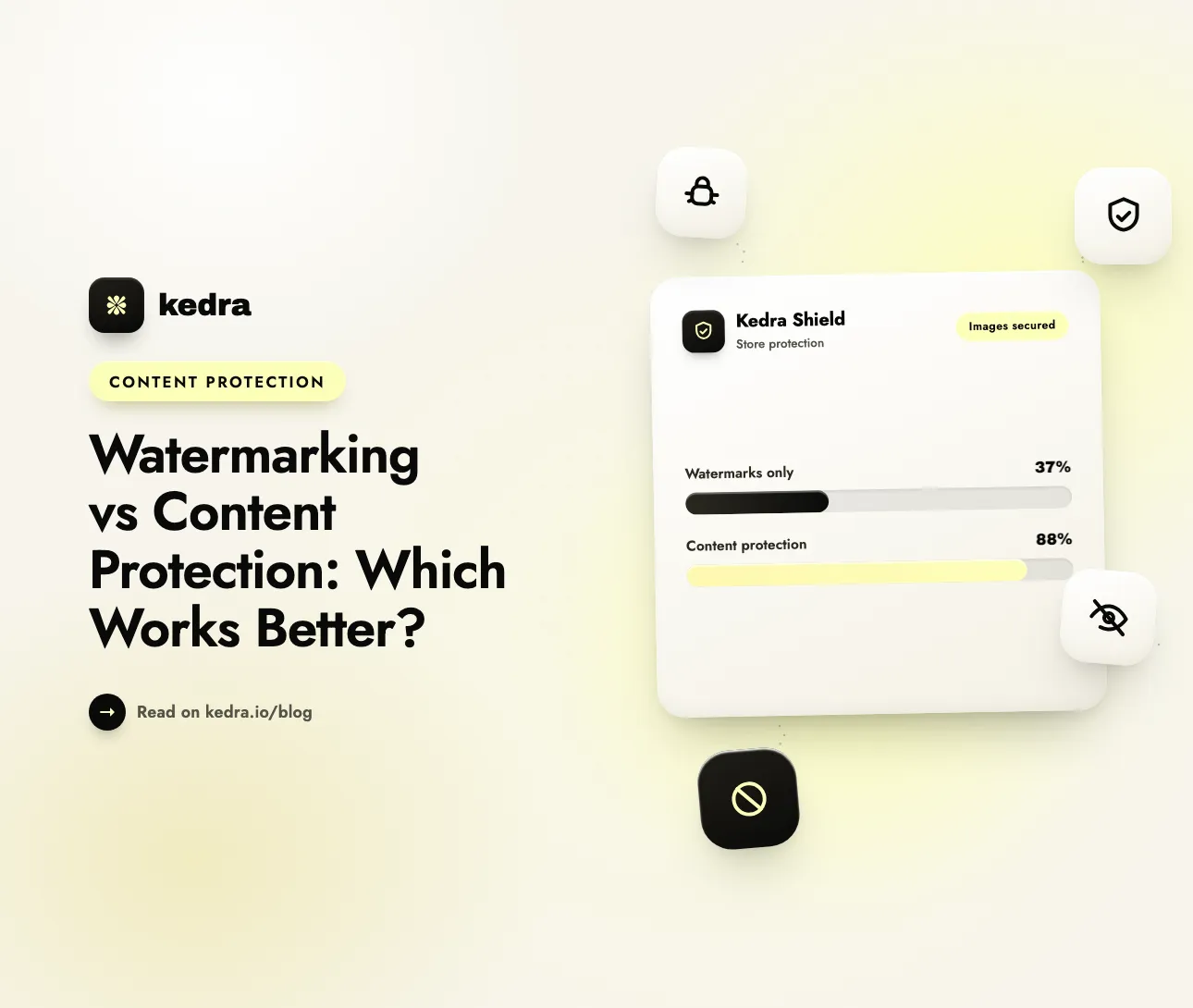
In the watermarking vs content protection debate, content protection is the stronger defense for actually stopping theft. Watermarks-visible or invisible-only mark or trace an image; they don’t stop anyone from copying it, and modern AI tools strip them in seconds. Content protection blocks the copy, drag, and scraper before your product photos ever leave the page.
That distinction matters because image theft is not a rare edge case-it is the background weather of running a store. Image-licensing firm Copytrack estimated that more than 2.5 billion images are stolen online every day, and that of the roughly 3 billion images shared daily, “around 85 percent are used without a valid license.” For a Shopify merchant, every product photo you publish is both your best sales asset and your most exposed one.

Table of contents
- Watermarking vs content protection: what’s the difference?
- Do visible watermarks actually protect your images?
- What about invisible and forensic watermarks?
- What does content protection actually block?
- Watermarking vs content protection: side-by-side comparison
- So which strategy works better?
- Does stolen imagery actually hurt my SEO?
- How to set up content protection on Shopify with Kedra Shield
- The legal backstop: copyright registration and DMCA
- Frequently asked questions
Watermarking vs content protection: what’s the difference?
Watermarking labels an image so misuse can be traced after the fact; content protection prevents the image from being copied, dragged, or scraped in the first place. One is a signature you add after publishing. The other is a lock you place before anyone can take the file. They solve different problems, and confusing them is why so many stores feel protected while their catalog quietly ends up on knockoff sites.
Watermarking comes in two forms. A visible watermark is a logo, name, or pattern overlaid on the picture. An invisible (forensic) watermark embeds a hidden, machine-readable identifier into the pixels-you can’t see it, but a detector can read it later to prove where the image came from.
Content protection (also called access prevention) is a different category entirely. Instead of marking the file, it blocks the actions people use to take it: right-click “Save image as…”, copy-paste, image dragging, developer-tool inspection, and-most importantly-the automated scraper bots that harvest entire catalogs. The goal is not to prove theft happened; it is to stop it from happening.
Want to see access-prevention in action on your own store? Kedra Shield bundles right-click, copy, drag, and bot blocking into one Shopify app you can toggle on in minutes-no code, any plan.
Do visible watermarks actually protect your images?
Visible watermarks deter casual reposting, but they do not protect the file-and they cost you sales while failing to. A watermark makes a stolen image harder to reuse cleanly, which discourages the laziest thieves. That is a real (if narrow) benefit for social sharing. As a defense for a storefront, though, it has two disqualifying weaknesses.
First, watermarks are removable-now trivially so. Back in 2017, Google researchers showed the entire concept has a structural flaw. Because a store applies the same watermark the same way across its whole catalog, that very consistency is what breaks it. As Google’s research team put it: “watermarks are typically added in a consistent manner to many images. We show that this consistency can be used to invert the watermarking process-that is, estimate the watermark image and its opacity, and recover the original, watermark-free image underneath.” Their algorithm produced “very accurate estimations of the watermark components already from hundreds of images, and can deal with most watermarks used in practice.” Security outlet BleepingComputer summarized the takeaway plainly: “The algorithm works because all stock photo websites apply their watermark in the same way for all their image portfolio.”
The peer-reviewed CVPR 2017 paper behind that work, On the Effectiveness of Visible Watermarks by Dekel, Rubinstein, Liu and Freeman, concluded that “visible watermarks should be designed to not only be robust against removal from a single image, but to be more resistant to mass-scale removal from image collections as well.” Almost no store applies watermarks that carefully. And you no longer need a research lab-free, one-click AI watermark removers such as WatermarkRemover.io and PxBee now strip marks automatically in seconds, with no sign-up and no skill required.
Second, watermarks damage the exact thing you’re trying to sell. Product images are what shoppers judge first. Analysis compiled by Photoroom found that “56% of users immediately explored product images after reaching a product details page” (Baymard Institute), and an Etsy buyer survey cited in the same piece found 90% of shoppers rate image quality as “extremely important” or “very important” to their decision. A heavy watermark degrades that first impression and suppresses conversions-so you pay a revenue tax to inconvenience thieves who can remove the mark anyway. For visual-first stores, we cover this trade-off in depth in securing high-value photography and art on Shopify.
What about invisible and forensic watermarks?
Invisible watermarks prove ownership after the fact-but they prevent nothing, and researchers have shown they can be broken. An invisible watermark embeds a hidden identifier in the pixels. Digimarc, a leader in the field, describes the purpose exactly: the embedded identifier is “used to communicate content provenance, authenticity, and copyright information about a digital asset.” That is a forensic function. It helps you win a takedown or a lawsuit; it does nothing to stop the copy, the screenshot, or the scraper in the moment.
Worse, invisible watermarking is not as durable as it sounds. In 2023, a University of Maryland team led by professor Soheil Feizi tested the leading AI-image watermarking methods and defeated all of them. Reported by Wired, Feizi’s assessment was blunt:
“We don’t have any reliable watermarking at this point. We broke all of them.”
For the “low-perturbation” invisible watermarks that are hardest to see, he was even more direct: “There’s no hope.” The University of Maryland’s own computer science department headlined the finding, “Researchers Say Current AI Watermarks Are Trivial to Remove,” and noted the team found it “even easier to add fake emblems to images that weren’t generated by AI”-meaning watermarks can also be forged, undermining their evidentiary value.
Provenance standards like C2PA Content Credentials-”cryptographically signed metadata structures… that provide a verifiable record of a digital asset’s provenance and modification history”-and Google DeepMind’s SynthID (now applied to over 10 billion pieces of content) are advancing the identification layer. But they are the same category as invisible watermarks: they describe where content came from. They are not barriers to copying. Treat forensic watermarking as evidence for enforcement, not as a lock on your storefront.
What does content protection actually block?
Content protection stops the theft actions directly in the browser and at the network edge-closing the vectors watermarks leave wide open. A complete access-prevention layer typically covers four things at once:
- Right-click / context menu - removes the “Save image as…” and “Copy image” options casual thieves reach for first.
- Copy-paste and text selection - protects the product descriptions and titles scrapers lift alongside your photos.
- Image dragging - stops a visitor dragging a photo straight to the desktop.
- Developer-tool and view-source shortcuts - deters the
F12/Ctrl+Uroute to the raw image URL.
Layered underneath is the part that matters most for a catalog: server-side bot and scraper blocking, which stops the automated harvesters that ignore the browser UI entirely. Bots are not a fringe threat. Imperva’s 2026 Bad Bot Report found that “automated traffic continues to outpace human activity online, accounting for more than 53% of all web traffic in 2025,” and its retail data shows e-commerce sites are prime targets for “price scraping, content scraping, account takeovers, credit card fraud, and gift card abuse.” A single scraping run can copy your entire catalog in minutes; only a network-level defense stops it.
Be clear-eyed about the limits, too. Client-side blocking is a deterrent, not a vault-and honesty here builds trust. The W3C’s own CSS specification states flatly that the user-select: none copy-blocking property “is not a copy protection mechanism, and using it as such is ineffective,” because browsers may bypass it and users can disable it. A developer guide from CoreUI agrees these techniques “provide protection against casual content theft, but won’t stop determined users with technical knowledge.” Screenshots, in particular, happen at the operating-system level and no web page can block them. That is precisely why content protection is valuable as a layer: it stops the opportunistic majority and the automated scrapers, while you reserve legal tools for the rare determined attacker. For the deeper trade-off, see server-side vs. client-side blocking.

Watermarking vs content protection: side-by-side comparison
Here is how the three strategies compare on the dimensions a Shopify merchant actually cares about.
| Dimension | Visible watermark | Invisible / forensic watermark | Content protection (access prevention) |
|---|---|---|---|
| What it does | Overlays a mark on the image | Embeds a hidden ownership ID | Blocks the copy / drag / scrape action |
| Stops casual “Save image as…” theft | Partly (deters reuse) | No | Yes |
| Stops automated scraper bots | No | No | Yes (server-side layer) |
| Stops screenshots | No (mark is captured too) | No | No (OS-level) - but can blur/deter |
| How removable is it? | Easily - free AI tools in seconds | ”Trivial to remove” (Univ. of Maryland) | Nothing to remove |
| Effect on your conversions | Negative (degrades image quality) | None (invisible) | None (invisible to shoppers) |
| Primary value | Attribution / branding | Proof of ownership after theft | Prevention before theft |
| Best used as | Light branding on previews | Legal / forensic evidence | Your primary defense layer |
The pattern is clear: watermarking answers “who owns this?” after the image is already gone, while content protection answers “how do I keep it from leaving?” Those are complementary questions-but only one of them keeps your catalog off a copycat store this week.
So which strategy works better?
For stopping theft, content protection works better; watermarking is a supporting actor, not the lead. The most resilient setup is layered, and the order of priority is what most stores get backwards:
- Content protection first (the lock). Turn on right-click, copy, drag, and developer-tool blocking to stop casual human theft, and add bot detection plus VPN/proxy blocking to stop the scrapers that clone whole catalogs. This is the layer that actually reduces theft volume.
- Serve display-resolution images, not print masters. Upload high quality but deliver optimized, web-resolution files. A thief who defeats every other layer should still not walk away with a print-ready original.
- Watermark selectively (the signature). Use a light visible mark on previews or social images where branding helps-never a heavy mark across every product listing you’re trying to sell.
- Register and, if needed, watermark for evidence (the paper trail). Copyright registration and forensic watermarking give you leverage if prevention fails and you need to file a takedown or claim damages.
In short: lead with prevention, keep watermarking for branding and legal backup. Relying on watermarks alone is like putting a “property of” sticker on your front door instead of locking it.
Does stolen imagery actually hurt my SEO?
Yes-but not through a “penalty,” and understanding the real mechanism changes how you defend against it. Google’s John Mueller has repeatedly stated there is no duplicate-content penalty; as reported by Search Engine Journal, “it’s not so much that there’s a negative score associated with it.” Instead, when the same image and description appear on multiple sites, Google clusters them and shows one preferred version. If a higher-authority site republishes your stolen photos, they can win that slot-you did the creative work, and someone else collects the traffic.
Google’s spam policies explicitly flag the copier, defining scraping as “republishing content from other sites without adding any original content or value, or even citing the original source.” The lesson for merchants: the damage is competitive dilution, not a black mark on your account-so the fix is preventing the copy, not just disavowing it after. We break the ranking mechanics down in how protecting your Shopify images boosts SEO.
How to set up content protection on Shopify with Kedra Shield
You do not need Shopify Plus or a developer to add real content protection. Kedra Shield combines the client-side deterrents and the server-side bot defense in one lightweight app, so the settings persist through theme updates instead of breaking every time you edit theme.liquid. Here is a practical setup:
- Install Kedra Shield from the Shopify App Store and open it from your admin.
- Under Content protection, toggle on Disable right-click and Disable copy-paste. This removes the context menu, blocks text selection, and stops image dragging across your storefront.
- Enable Secure images to prevent unauthorized image downloads, and turn on Blur content when the user is inactive-a subtle deterrent against background screen-scraping.
- Open Bot & traffic settings and enable Bot detection and VPN & proxy blocking so automated scrapers that ignore right-click never reach your images. Good bot management still welcomes Googlebot and AI assistants while shutting out the harvesters.
- Optionally add a country, city, or IP blocker to cut traffic from regions that generate the most scraping and fraud.
- Review the blocked-visitor dashboard to see which threats Kedra Shield is stopping and tune your rules.
Because everything runs through one optimized app, you avoid the page-speed hit of stitching together separate scripts and plugins-and you keep your product photography crisp and watermark-free for the shoppers who actually buy. For the fastest single step, our guide to disabling right-click and protecting images on Shopify walks through both the code and app routes.
The legal backstop: copyright registration and DMCA
When prevention isn’t enough, registration is what gives a takedown teeth-so it belongs in your plan before theft happens. Under U.S. law (17 U.S.C. § 504), statutory damages for copyright infringement run from $750 to $30,000 per work, and can reach “$150,000” per work for willful infringement. But there is a catch most merchants miss: as the Copyright Alliance explains, those statutory damages are only available if the work was registered “within three months of publication of the work, or before the infringement starts.”
That is the honest role of watermarking, forensic or visible: it is evidence that supports enforcement, working alongside registration-not a substitute for prevention. If you’ve already been copied, our Shopify content-theft recovery guide covers DMCA notices and de-indexing the clones.
Frequently asked questions
Is watermarking or content protection better for Shopify product images?
Content protection is better for actually preventing theft, because it blocks the copy, drag, and scraper before your image leaves the page. Watermarking only marks or traces an image after it’s taken, and modern AI tools remove visible and invisible watermarks in seconds. Use content protection as your primary defense and reserve watermarking for branding and legal evidence.
Can visible watermarks be removed easily?
Yes. Google researchers demonstrated in 2017 that watermarks applied consistently across a catalog can be automatically inverted and removed, and free one-click AI watermark removers now do it for anyone in seconds. Because most stores apply the same mark the same way to every image, that consistency is exactly the weakness that makes removal reliable.
Do invisible watermarks stop image theft?
No. Invisible (forensic) watermarks embed a hidden ownership identifier to prove provenance after theft-they prevent nothing in the moment. University of Maryland researchers also found current invisible watermarks “trivial to remove” and easy to forge. They are useful as legal or provenance evidence, but they are not a barrier against copying, screenshots, or scrapers.
Will content protection block Google and hurt my rankings?
No, when it’s configured correctly. Good bot management distinguishes good bots from bad bots-welcoming search crawlers like Googlebot and AI assistants while blocking scrapers. Client-side right-click blocking is invisible to crawlers and adds negligible page weight, so it doesn’t affect SEO. The bigger ranking risk is scraped duplicates diluting your original, which prevention helps avoid.
Can any tool stop screenshots of my Shopify images?
No web-based tool can fully block screenshots, because screen capture happens at the operating-system level, outside the browser’s control. Content-protection apps can blur content on inactivity to deter background capture, but no honest solution promises screenshot-proofing. This is why serious protection is layered: stop the easy 90% and the automated scrapers, and use copyright registration for the rest.
Do I need Shopify Plus to add content protection?
No. Right-click, copy, drag, and developer-tool blocking work on every Shopify plan. You can add a script to theme.liquid yourself, or install an app like Kedra Shield that enables all of it with toggles-no code-plus the server-side bot and VPN blocking that a theme script can’t provide. Neither route requires the Plus tier.
Protect your images before the next competitor copies them
The watermarking vs content protection question has a practical answer: watermarks tell the world an image is yours; content protection keeps it from being taken in the first place. With visible and invisible watermarks now removable in seconds-and bots making up more than half of all web traffic-the strategy that actually reduces theft is layered prevention, backed by light watermarking and copyright registration for the cases prevention can’t catch.
Kedra Shield puts the whole prevention layer-right-click and copy blocking, image and drag protection, bot detection, and VPN/proxy filtering-behind a few toggles on any Shopify plan. Install Kedra Shield free and lock down your product photography today.