Flash sale fraud is any abuse of a limited inventory release: checkout bots buying stock in seconds, resellers using dozens of accounts to get around purchase limits, and fraudsters paying with stolen cards for items they can resell fast. You protect a drop by blocking automated checkouts, screening risky orders before fulfillment, and preparing for chargebacks after launch.
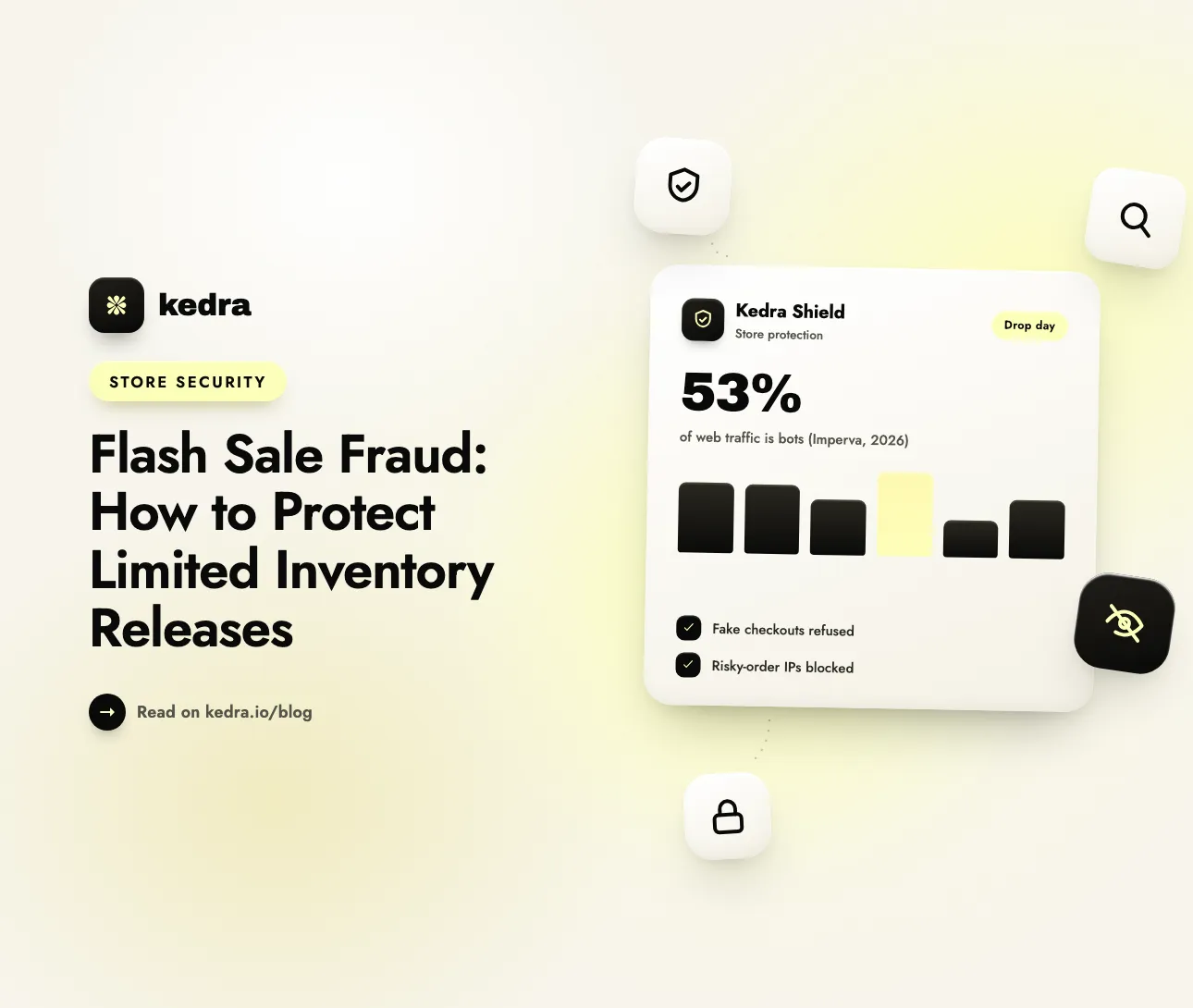
Limited releases are where those threats meet. Bots now account for over 53% of all web traffic, and 40% of it is classified as malicious, according to the 2026 Bad Bot Report from Imperva, a Thales company (Imperva, May 5, 2026). A flash sale concentrates that traffic into a few minutes, on a few products, with real money at stake. Your staff cannot review orders by hand at that speed, and the fraud that gets through shows up weeks later as chargebacks, angry customers and stock sitting with resellers.

On this page
- What is flash sale fraud?
- What types of fraud hit a limited release?
- How do resellers get around purchase limits?
- What does Shopify protect against by default?
- How do you protect a limited inventory release?
- How Kedra Shield protects a flash sale
- What should you do after the drop?
- Frequently Asked Questions
What is flash sale fraud?
Flash sale fraud is the use of automation, fake identities or stolen payment details to buy limited stock that was meant for real customers, usually to resell it or to cash out a stolen card. The term covers bots, but it is wider than bots. A human reseller with fifty email addresses commits flash sale fraud without writing a line of code.
Limited releases attract fraud for three reasons:
- The goods hold their value. A limited sneaker, a collectible or a sold-out restock can be resold above retail within hours. Fraudsters prefer items they can turn into cash quickly.
- Time pressure breaks review. During a normal week, a merchant can check a suspicious order before shipping it. During a ten-minute drop, hundreds of orders arrive at once and the pressure is to ship fast.
- The rules are public. Launch time, product page, price and purchase limit are all announced in advance. Attackers get days to prepare and test.
Bot attacks and inventory hoarding are covered in depth in our guide to how scalper bots ruin product launches. This post looks at the full fraud picture around a release: before, during and after.
What types of fraud hit a limited release?
Seven fraud patterns account for most of the damage around a limited release, and each one needs a different defense. Blocking bots does nothing against a stolen card used by a human, and a fraud filter does nothing against a bot that clears out stock before any order is reviewed.
| Fraud type | How it works | Warning sign | Best defense |
|---|---|---|---|
| Checkout bots | Software adds the product to cart and completes checkout in seconds, often posting straight to the cart or checkout without loading your storefront | Orders seconds after launch; checkouts with no storefront browsing | Require a verified storefront session at checkout; Shopify Plus bot protection |
| Multi-account buying | One buyer uses many emails, names and accounts to get around a “1 per customer” limit | Same shipping address with small variations; sequential or disposable emails | Order limits plus email, domain and address rules |
| Stolen-card purchases | Fraudsters pay with stolen card details and ship to a reshipping “drop” address | Billing and shipping mismatch; high-risk order flags; freight-forwarder addresses | Shopify fraud analysis; review before fulfillment |
| Card testing | Bots try many card numbers with small payments to find working cards before the main event | Bursts of failed payments from one IP address | Velocity limits; IP and network blocks |
| Account takeover | Attackers log in to real customers’ accounts with leaked passwords to reuse saved details | Logins from new countries, VPNs or data-center networks | VPN, proxy and hosting-network blocking |
| Early-link leaks | A product published too early, or its variant ID, leaks and bots buy before the official launch | Sales before the announced start time | Schedule publishing; keep products unpublished until launch |
| Friendly fraud after the drop | A real buyer receives the item, then files a chargeback claiming it never arrived or was not authorized | Disputes that arrive weeks after a high-demand drop | Delivery proof, clear policies, clean order records |
The last row is the slowest and often the most expensive. Mastercard’s 2025 State of Chargebacks report estimated that global chargeback volume would reach 261 million in 2025 and 324 million by 2028, a 24% increase in three years (Chargeback Gurus summary of the Mastercard report, June 10, 2025). In the same report, merchants attributed 25% of their chargebacks to third-party fraud and 21% to first-party (friendly) fraud.
Stolen-card buying is organized, not random. A 2015 academic study of criminal reshipping services, reported by KrebsOnSecurity, estimated that about 1.6 million credit and debit cards are used to commit at least $1.8 billion in reshipping fraud each year. In that scheme, “stuffers” use stolen cards to buy high-value products, and “drops” forward the packages abroad (KrebsOnSecurity, November 2, 2023). Limited releases are ideal stock for that model.
Not sure how exposed your store is before the next drop? Run the free Shopify security audit. It is a 3-minute check of how well your store is protected, with no login required.
How do resellers get around purchase limits?
Resellers beat purchase limits by looking like many different customers: many accounts, many cards, many IP addresses and many phone numbers. A “limit 1 per customer” rule only works if the store can tell customers apart.
The clearest public example comes from ticketing, the industry with the most aggressive resellers. In August 2025, the US Federal Trade Commission sued ticket reseller Key Investment Group and its affiliates under the FTC Act and the Better Online Ticket Sales (BOTS) Act. The FTC alleged the resellers used thousands of Ticketmaster accounts, thousands of virtual and traditional credit card numbers, proxy or spoofed IP addresses, and SIM boxes to receive verification codes (PYMNTS, August 18, 2025). Key Investment Group said its purchases did not use automated software and did not break the BOTS Act.
FTC Chairman Andrew N. Ferguson put the agency’s position plainly: “Today’s action puts brokers on notice that the Trump-Vance FTC will police operations that unlawfully circumvent ticket sellers’ purchase limits.”
The same playbook works against a Shopify drop. Each tactic leaves a trace you can act on:
- Many accounts usually means many email addresses, often from disposable-email services or one custom domain.
- Many cards often means virtual card numbers with billing names that do not match the shipping name.
- Many IP addresses usually means rented proxies, VPNs or cloud-hosting networks rather than home broadband.
- Many addresses often means one real address written slightly differently (“Apt 4”, “#4”, “Unit 4”), a trick resellers call address jigging.
A purchase limit is still worth setting. Our guide to setting order limits on Shopify to prevent bulk buying explains how. But an order limit has to be paired with signals that connect the fake “customers” back to one buyer.
What does Shopify protect against by default?
Shopify gives every store fraud analysis on orders, but its dedicated checkout bot protection is only available on Shopify Plus. Knowing exactly where the native tools stop tells you what to add.
Bot protection (Shopify Plus only). Shopify’s bot protection “help[s] prevent product inventories from primarily being sold to auto-checkout bots,” using a reCAPTCHA or hCaptcha checkpoint during a scheduled event (Shopify Help Center: Protecting your store from bots). Plus merchants contact Shopify Plus Support to activate it, then schedule it from Settings > Bot protection > Schedule protection. The limits matter for planning a drop:
- Only one event can be scheduled at a time, and it lasts up to 60 minutes.
- It protects all published products or up to 500 selected products, but not collections.
- It only covers the Online Store sales channel.
- Shopify notes that it isn’t meant to address fraud related to bot activity. It slows bots down; it does not judge whether a payment is fraudulent.
Fraud analysis (all plans, with limits). Shopify shows fraud indicators on orders on the Basic plan and higher, and fraud recommendations (low, medium or high risk of a fraud chargeback) on the Grow plan and higher or with Shopify Payments (Shopify Help Center: Fraud analysis). For a high-risk order, Shopify says you can verify the order, cancel it or refund it. Shopify may also temporarily block an IP address when “many orders or failed payment attempts come from the same IP address in a short time.” That block is usually removed within a day.
The gap is clear. A store that is not on Plus has no native checkout checkpoint, and fraud analysis only scores orders after they are placed. For a drop, you want to stop bad traffic before checkout and make risky orders easy to catch before fulfillment.

How do you protect a limited inventory release?
Protect a limited release in layers: prepare the store two weeks out, lock down access before launch, watch velocity during the drop, and review every risky order before anything ships. Here is a timeline you can copy.
Two weeks before the drop
- Turn on checkout bot detection in a watch-only mode so it learns what your genuine orders look like before you enforce anything.
- Decide your purchase limit (for example, one per customer per size) and set it with an order-limit rule rather than a line in the product description.
- Write a clear limited-release policy: purchase limits, the right to cancel orders that break them, and no refunds for resale-bound orders. A visible policy helps when you dispute a chargeback.
The week before
- Keep the product unpublished. Schedule it to go live at launch time. A product that is already visible exposes its product URL and variant IDs, and bots can build direct cart links from those.
- Review the countries you actually ship to. If you only fulfill in a handful of countries, block the rest from the product page.
- Block disposable email domains and any domains or emails you have caught abusing past drops.
During the drop
- Turn on velocity limits so a single IP address cannot reload the product page dozens of times in a few seconds.
- Block VPNs, proxies and data-center networks for the duration of the drop. Real customers rarely shop from a cloud server.
- Watch the first five minutes live. If orders arrive before the page went public, you have a leak.
After the drop
- Hold fulfillment for high-risk orders, check them against your fraud signals, and cancel the ones that break your limits before anything ships.
How Kedra Shield protects a flash sale
Kedra Shield covers the traffic and order layers of the plan above: it refuses checkouts from bots that skip your storefront, screens visitors before they reach the product page, and turns Shopify’s risky-order flags into blocks. Here is how each feature maps to a fraud type.
Fake Checkout Blocker: stop bots that go straight to checkout
Some bots never load your storefront. They post straight to the cart or checkout, so storefront blocking cannot see them. The Fake Checkout Blocker quietly tags every genuine shopper session on your storefront, then uses a Shopify checkout validation to refuse checkouts that do not carry the tag. The buyer sees: “Your session couldn’t be verified. Please return to the store, refresh the page, and try checking out again.”
It is built to avoid blocking real customers:
- Watch mode comes first. For at least 7 days, Kedra Shield measures how many of your real online store orders carry the tag, and blocks nothing.
- Blocking switches on automatically only when it is safe: at least 95% of recent online orders (20 or more) carry the tag, and fewer than 5% of orders come from channels that cannot be tagged.
- You can force it on early, but the app first shows how many of your recent orders would have been refused and warns about Buy it now buttons.
For a flash sale, this is why step 1 of the timeline starts two weeks out: turn the Fake Checkout Blocker on in watch mode well before launch day.
Checkout protection rules: catch multi-account buyers
Checkout protection rules block a checkout by email address, email domain, country or postal code. You can also switch on a built-in disposable-email block and a rule that stops $0 orders where the shipping and billing names do not match, a common pattern in giveaway and freebie abuse. Rules run inside Shopify’s checkout, so they apply even when a buyer arrives with a direct link.
Storefront screening: block VPNs, proxies, data centers and fast reloaders
- Threat protection blocks visitors from VPNs, proxies, hosting networks and IP addresses with a history of attacks. Strictness is adjustable (Conservative, Balanced or Strict), and wireless carriers and iCloud Private Relay are exempt so mobile shoppers get through.
- Velocity Guard blocks an IP address that loads more than a set number of pages within 10 seconds (30 by default). That catches refresh bots hammering a product page before launch.
- Country, city and IP blocking, plus a Product Blocker that blocks chosen countries from specific product or collection pages, keep a drop limited to the markets you ship to. Our guide on why fraudsters use VPNs explains why the network a buyer uses is such a strong fraud signal.
Fraud orders: turn Shopify’s risk flags into blocks
Kedra Shield listens for orders that Shopify’s fraud analysis flags as risky and lists them in a Fraud orders tab with the order’s risk score, total and IP address. From there you can block a buyer’s IP address in one click. On paid plans you can also switch on auto-block, which blocks the IP address of any order above your risk threshold (0.7 by default), and an email alert for risky orders.
The honest limits
- Kedra Shield never cancels, refunds or edits an order. It blocks traffic and checkouts. You still decide what happens to an order in Shopify admin.
- It cannot tell whether a card is stolen. Shopify’s fraud analysis and your payment provider judge the payment; Kedra Shield acts on their risk flags.
- The Fake Checkout Blocker needs order history. A brand-new store with very few online orders will stay in watch mode longer before blocking turns on automatically.
- The Fake Checkout Blocker, checkout protection rules, threat protection, Velocity Guard and auto-block are on paid plans. The free plan includes IP and country blocking and fraud order analytics. Plans start at $7.99/month, with a 3-day free trial.
Planning a drop in the next few weeks? Install Kedra Shield from the Shopify App Store and turn on the Fake Checkout Blocker in watch mode today, so it is ready before launch day.
What should you do after the drop?
After the drop, review every medium- and high-risk order before fulfillment, cancel orders that break your limits, and keep clean records for the chargebacks that will arrive later. The work you do in the first 48 hours decides how much fraud you ship.
- Filter orders by risk level in Shopify admin and hold the medium- and high-risk ones. Our checklist of high-risk order indicators to check before fulfillment covers what to look for.
- Group orders by shipping address. Five orders to “Apt 4”, “#4” and “Unit 4” at the same street address are one buyer.
- Cancel and refund orders that break your published purchase limit, and say so in the cancellation email. Refunding before shipping costs you a sale. A chargeback after shipping costs you the product, the shipping and a dispute fee.
- Block the networks and emails behind the orders you cancel, so the same buyer cannot return for the restock.
- Keep delivery proof (tracking, signature where possible) for every high-value order. That evidence is what wins friendly-fraud disputes weeks later.
Frequently Asked Questions
What is the difference between flash sale fraud and a bot attack?
A bot attack is one form of flash sale fraud. Flash sale fraud also includes humans using many accounts to break purchase limits, stolen-card purchases routed to reshipping addresses, account takeover and friendly-fraud chargebacks after delivery. Stopping bots alone leaves those other patterns open, so a drop needs bot, order and payment defenses together.
Does Shopify stop bots during a flash sale?
Shopify offers dedicated checkout bot protection only on Shopify Plus. Plus merchants schedule a reCAPTCHA or hCaptcha checkpoint for one event of up to 60 minutes, covering up to 500 products. Other plans get fraud analysis on orders but no native checkout checkpoint, so most merchants add an app such as Kedra Shield.
How do I stop one customer from buying all my limited stock?
Set a per-customer order limit at checkout, then connect accounts that are really one buyer. Block disposable email domains, watch for small variations of the same shipping address, and block VPN and proxy traffic during the drop. Cancel orders that break the published limit before fulfillment, and state that right in your release policy.
Should I cancel high-risk orders from a product drop?
Verify high-risk orders before shipping, and cancel the ones you cannot verify. Shopify recommends verifying, cancelling or refunding high-risk orders. For a limited release, refunding before fulfillment is usually cheaper than a chargeback after shipping, which costs the product, the shipping and a dispute fee, and the stock can be resold to a genuine customer.
When should I set up fraud protection for a limited release?
Start at least two weeks before launch day. Bot detection that learns from your real orders, such as the Kedra Shield Fake Checkout Blocker, needs about a week of watch mode before it can block safely. Order limits, email rules and country blocks should be tested before the product goes live, not during the drop.
Protect your next drop before it goes live
Flash sale fraud is not one attack. Bots clear the stock, multi-account buyers break your limits, stolen cards turn into chargebacks, and friendly fraud arrives weeks later. Layered defenses beat all four: verify storefront sessions at checkout, block suspicious networks during the drop, enforce order limits, and review risky orders before anything ships.
Your customers waited for this release. Give them a fair chance at it. Install Kedra Shield, start the Fake Checkout Blocker in watch mode two weeks before launch, and go into drop day knowing which orders to trust. Want a quick baseline first? Check my store’s security for free.