AI crawler control on Shopify means deciding, crawler by crawler, which AI bots may read your store. Allow the search crawlers that put you in AI answers (OAI-SearchBot, PerplexityBot, Claude-SearchBot). Opt out of training-only crawlers (GPTBot, ClaudeBot, Google-Extended, CCBot) if you prefer. On Shopify you set this in a robots.txt.liquid theme template.
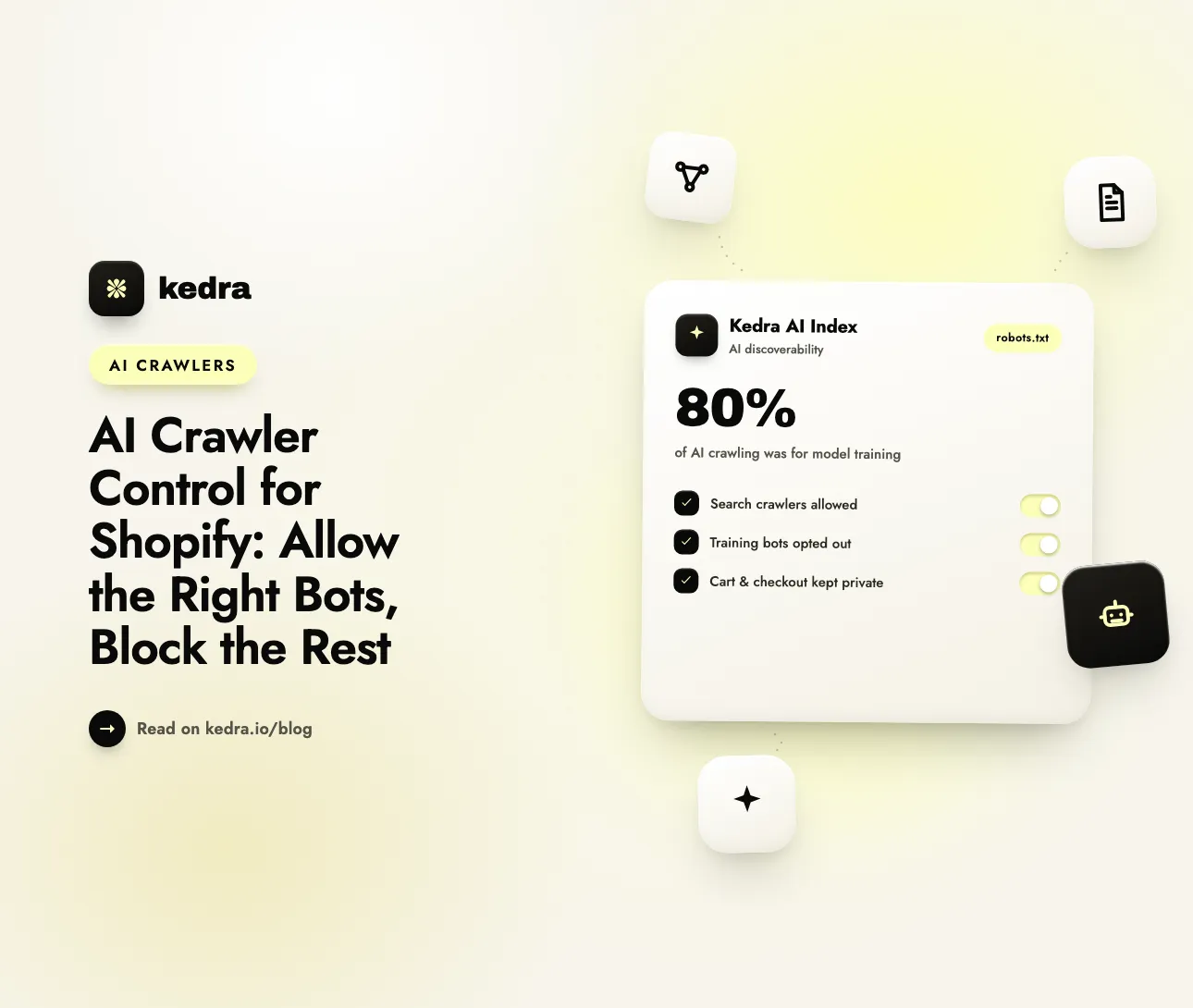
Most AI crawling is not search. Cloudflare’s network data showed that 80% of AI crawling over the 12 months to July 2025 was for model training, 18% for search and just 2% for user actions (Cloudflare, “The crawl-to-click gap,” August 29, 2025). The same report found that Anthropic’s crawlers fetched about 38,000 pages for every visitor they referred in July 2025. Training crawlers take your product copy and send almost nothing back. Search crawlers are the ones that can get your products recommended. Treating them all the same is the mistake.

On this page
- What is AI crawler control?
- Which AI crawlers should a Shopify store allow or block?
- Does Shopify block AI crawlers by default?
- How do I block AI training bots on Shopify with robots.txt.liquid?
- What mistakes break AI crawler rules?
- What can robots.txt not control?
- How Kedra AI Index shows whether your rules work
- Frequently Asked Questions
What is AI crawler control?
AI crawler control is the practice of setting separate access rules for each AI bot, based on what that bot does with your content. The big AI companies now run several crawlers each, and every crawler has one job: training a model, indexing pages for AI search, or fetching a page live because a user asked.
OpenAI states the principle plainly in its crawler documentation: “Each setting is independent of the others” (OpenAI, Overview of OpenAI Crawlers). Blocking GPTBot (training) does not remove you from ChatGPT search, and allowing OAI-SearchBot (search) does not hand your content to model training. Anthropic, Google, Apple and Perplexity split their crawlers in the same way.
For a Shopify merchant, the three jobs map to three decisions:
- Search crawlers index your store so AI assistants can cite and link it. Block them and you disappear from AI answers. Almost every store should allow them.
- Training crawlers collect content for future model training. Blocking them has no direct effect on AI search visibility. This one is a business choice.
- User-triggered fetchers visit a page because a person asked an assistant about it. They behave more like a browser than a crawler, and robots.txt may not apply to them.
Not sure which AI crawlers can read your store today? Check my store’s AI crawler access for free. The free GPTBot Checker reads your live robots.txt and shows which AI bots are allowed and which are blocked. No login is required.
Which AI crawlers should a Shopify store allow or block?
Allow every AI search crawler, decide on training crawlers, and leave user-triggered fetchers alone. The table below lists the user agents that matter for Shopify stores, taken from each operator’s own documentation.
| User agent | Operator | Job | Recommended for most stores |
|---|---|---|---|
| OAI-SearchBot | OpenAI | Indexes sites for ChatGPT search answers | Allow |
| GPTBot | OpenAI | Collects content that may train OpenAI models | Your choice (block to opt out of training) |
| ChatGPT-User | OpenAI | Fetches a page when a ChatGPT user asks | Leave alone (robots.txt “may not apply”) |
| Claude-SearchBot | Anthropic | Indexes content for Claude search results | Allow |
| ClaudeBot | Anthropic | Collects content that may train Anthropic models | Your choice |
| Claude-User | Anthropic | Fetches a page when a Claude user asks | Leave alone or allow |
| PerplexityBot | Perplexity | Indexes and links sites in Perplexity answers; not used for training | Allow |
| Perplexity-User | Perplexity | Fetches a page for a user’s question | Leave alone (generally ignores robots.txt) |
| Google-Extended | Controls use of crawled content for Gemini training and grounding | Your choice (no effect on Google Search) | |
| Applebot-Extended | Apple | Controls use of Applebot data for Apple model training; does not crawl | Your choice (no effect on Siri/Spotlight) |
| CCBot | Common Crawl | Builds an open web dataset widely used in AI research and training | Your choice |
Sources: OpenAI, Anthropic, Perplexity, Google, Apple, Common Crawl.
Two rows need extra care:
- Google-Extended does not touch Google Search. Google says it “does not impact a site’s inclusion in Google Search nor is it used as a ranking signal.” Google also says the token covers grounding, where Gemini pulls Search content into an answer at prompt time. Blocking Google-Extended can therefore reduce how often Gemini uses your pages in its answers. If Gemini visibility matters to you, allow it.
- Applebot-Extended is a permission, not a crawler. Apple says “Applebot-Extended does not crawl webpages” and that pages disallowing it “can still be included in search results.” Keep the regular Applebot allowed, because it powers Siri, Spotlight and Safari suggestions.
Should you block training at all? For most product catalogs the downside is small. Training data shapes what a model “knows” about your brand when it answers without searching, so some merchants keep GPTBot and ClaudeBot allowed for brand awareness. Others opt out to protect original copy and photography. Both are defensible. What is not defensible is blocking OAI-SearchBot, Claude-SearchBot or PerplexityBot by accident.
Does Shopify block AI crawlers by default?
No. Shopify’s default robots.txt has no rules for AI crawlers, so every AI bot is allowed to read your product, collection and blog pages. We checked the live robots.txt of several large Shopify stores in November 2026. Each one had only a general User-agent: * group and an adsbot-google group. The * group blocks private paths such as /admin, /cart, /checkout, /account and sorted or filtered collection URLs. Storefront pages stay open.
So the default is already “allow everything.” Control only matters if you want to opt out of training, or if an app, theme developer or earlier edit has added AI rules you do not know about. Open yourstore.com/robots.txt in a browser to see what your store serves right now. Any User-agent: GPTBot or User-agent: PerplexityBot lines mean someone has customized the file.
Shopify does not offer an admin setting for robots.txt rules. The only way to change them is the robots.txt.liquid theme template, covered next.
How do I block AI training bots on Shopify with robots.txt.liquid?
Create a robots.txt.liquid template in your theme, keep Shopify’s default rules, and add one Disallow: / group for each training crawler you want to opt out of. The whole job takes about ten minutes.

Step 1: Save your current robots.txt
Open https://yourstore.com/robots.txt and copy the full text into a document. Shopify’s developer documentation tells you to compare the rendered template with the original before publishing, because the output does not always match exactly (Shopify, Customize robots.txt).
Step 2: Create the template
In Shopify admin, go to Online Store → Themes. On your live theme, click ⋯ → Edit code. In the Templates folder, click Add a new template, choose robots, and create robots.txt.liquid. Shopify pre-fills it with the Liquid that outputs the default rules.
Step 3: Add your AI crawler rules
Keep the default loop exactly as Shopify generated it, then add your groups below it. This example allows all search crawlers (by saying nothing about them) and opts out of four training crawlers:
{% for group in robots.default_groups %}
  {{- group.user_agent }}

  {%- for rule in group.rules -%}
    {{ rule }}
  {%- endfor -%}

  {%- if group.sitemap != blank -%}
    {{ group.sitemap }}
  {%- endif -%}
{% endfor %}

# Opt out of AI model training
User-agent: GPTBot
Disallow: /

User-agent: ClaudeBot
Disallow: /

User-agent: Applebot-Extended
Disallow: /

User-agent: CCBot
Disallow: /
Google-Extended is left out on purpose, so Gemini can keep using your pages for grounded answers. Add it as a fifth group if you want a full training opt-out.
Step 4: Save and verify
Save the template, then reload yourstore.com/robots.txt. Check three things:
- The default
User-agent: *group is still there, with the sameDisallowlines as your saved copy. - Your new groups appear at the bottom, each with its own
User-agentline. - The
Sitemap:line is still present.
Then run the free GPTBot Checker to confirm that OAI-SearchBot, Claude-SearchBot and PerplexityBot show as allowed and your chosen training bots show as blocked. OpenAI and Perplexity both say a robots.txt change can take about 24 hours to reach their systems.
What mistakes break AI crawler rules?
The most damaging mistake is adding a group for a search crawler, because a crawler that finds its own group ignores the * group completely. Under the robots.txt standard (RFC 9309), a crawler follows only the most specific group that matches its name. Five errors come up again and again:
- Adding
User-agent: OAI-SearchBot+Allow: /. It looks friendly, but OAI-SearchBot now skips Shopify’s defaultDisallowrules, so it may crawl cart, checkout-redirect and endless filtered collection URLs. Leave search crawlers without their own group. - Blocking the wrong OpenAI or Anthropic bot.
User-agent: GPTBotdoes not affect ChatGPT search;User-agent: OAI-SearchBotdoes. Blocking “ClaudeBot” to protect visibility is backwards: Claude-SearchBot is the search crawler. - Deleting the default Liquid loop. Replacing the template with plain text removes Shopify’s private-path rules and future default updates. Shopify recommends using the Liquid objects instead of hard-coding rules.
- Using
Disallow: /underUser-agent: *to “block AI.” That blocks Googlebot and every search engine too. It is the fastest way to drop out of Google. - Never checking again. A theme switch can drop your custom
robots.txt.liquid, because templates belong to the theme. Re-check/robots.txtafter every theme change.
What can robots.txt not control?
robots.txt is a request that well-behaved crawlers choose to follow, not a lock. It cannot stop bots that ignore it, and it does not cover every kind of AI access:
- User-triggered fetchers. OpenAI says that for ChatGPT-User “robots.txt rules may not apply,” and Perplexity says Perplexity-User generally ignores robots.txt, because a person requested the page.
- Spoofed and unknown bots. Scrapers can pretend to be GPTBot or use a browser user agent. Common Crawl itself warns that other crawlers falsely identify as CCBot.
- CDN and firewall blocks. A Cloudflare rule or bot-protection setting can refuse a crawler that robots.txt allows. We cover this trap in AI crawlers blocked by your CDN.
Anthropic adds a useful warning: IP-based blocking may not reliably opt you out, because it can stop its bots from reading your robots.txt at all. For named AI crawlers, robots.txt is the correct tool. For scrapers that ignore it, you need a bot-blocking layer such as Kedra Shield, which detects bots and blocks by IP, VPN or country. Never point that layer at the verified AI search crawlers you want to keep.
How Kedra AI Index shows whether your rules work
Kedra AI Index does not edit your robots.txt or block bots; it tells you whether your rules are right and whether AI crawlers actually arrive. Writing rules is the easy part. Knowing they work is the hard part, and that is where Kedra AI Index helps:
- AI Readiness Check with a robots.txt audit. The app checks your live robots.txt against 17 AI user agents and flags any AI crawler you block, so an accidental
OAI-SearchBotorPerplexityBotblock shows up as a fix to make. It advises; you stay in control of the file. - AI crawler visit log. See which AI crawlers visit your store, including GPTBot, OAI-SearchBot, ChatGPT-User, ClaudeBot and PerplexityBot, verified against each operator’s published IP ranges so a spoofed user agent does not count. After you publish new rules, verified search-crawler visits are your proof that the door is still open. The log records crawlers that load page resources, so pair it with the free checker rather than reading an empty day as a block.
- Store-specific AI files. Every Shopify store already serves a generic llms.txt and agents.md about the Shopify platform. Kedra AI Index replaces them with files built from your products, collections and policies, so the search crawlers you allow read about your store. See our llms.txt guide for Shopify.
A simple routine: publish your robots.txt.liquid rules, run the readiness check to confirm no search crawler is blocked, then watch the crawler log over the following week. Kedra AI Index has a free plan, and paid plans start at $10/month with a free trial.
Want proof that AI search crawlers still reach your store after you change robots.txt? Install Kedra AI Index and watch verified AI crawler visits arrive.
Frequently Asked Questions
Will blocking GPTBot remove my store from ChatGPT?
No. GPTBot only collects content that may be used to train OpenAI models. ChatGPT search uses OAI-SearchBot, which OpenAI controls with a separate, independent robots.txt setting. You can block GPTBot and still appear in ChatGPT search answers, as long as OAI-SearchBot stays allowed in robots.txt and is not refused by a CDN or firewall.
Can I control AI crawlers on Shopify without editing robots.txt?
Not for named AI crawlers. Shopify has no admin setting for crawler rules, so per-bot rules live in the robots.txt.liquid theme template. A CDN or bot-blocking app can refuse requests outright, but that is a blunt tool for AI search crawlers. Anthropic warns that IP blocks can stop its bots from even reading your opt-out.
Does blocking Google-Extended hurt my Google rankings?
No. Google states that Google-Extended does not affect a site’s inclusion in Google Search and is not a ranking signal. It does control whether Gemini can use your content for training and for grounding answers, so blocking it may reduce how often Gemini draws on your pages. Allow it if Gemini visibility matters to your store.
Which AI crawlers ignore robots.txt?
User-triggered fetchers are the main exception. OpenAI says robots.txt rules may not apply to ChatGPT-User, and Perplexity says Perplexity-User generally ignores robots.txt, because a person asked for the page. Unknown scrapers can also ignore or spoof user agents. Use robots.txt for named crawlers and a bot-protection layer for abusive traffic.
How long do robots.txt changes take to work?
Shopify serves your new robots.txt as soon as you save the template. AI operators then need to re-read it. OpenAI and Perplexity both say changes can take about 24 hours to reflect in their systems. Verify the live file right away, then confirm crawler behavior over the next few days with a crawler visit log.
Set the rules once, then check them
AI crawler control on Shopify comes down to one rule: let search crawlers in, and treat training crawlers as a deliberate business choice. Shopify’s default robots.txt allows everything, so most stores only need a short robots.txt.liquid addition that opts out of GPTBot, ClaudeBot, Applebot-Extended or CCBot, without ever giving search crawlers their own group. Then verify, because a theme change or a CDN rule can undo your work silently. For the other signals AI assistants use to find a store, read the 7 technical signals that tell ChatGPT your Shopify store exists.
Start with a two-minute test: see which AI crawlers can read my store, free. Then install Kedra AI Index from the Shopify App Store to audit your robots.txt for AI crawlers and see verified crawler visits.