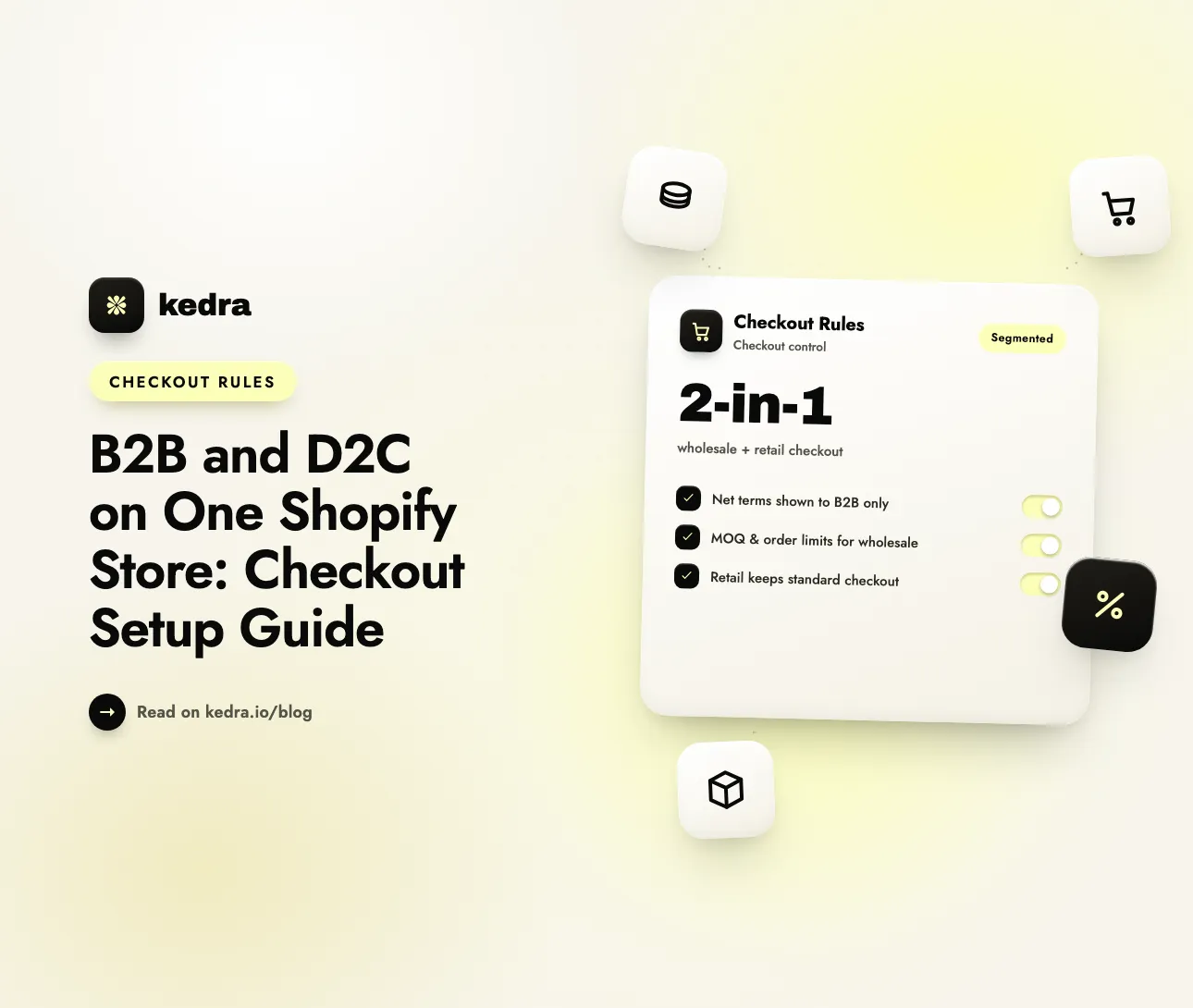
Yes—you can run B2B and D2C on one Shopify store. Shopify’s native “blended store” lets wholesale and retail customers share the same catalog, inventory, and admin, while companies, catalogs, and customer accounts give B2B buyers their own pricing and checkout. Per-segment checkout rules then apply different order limits and payment methods to each audience.
The reason to bother is that wholesale buying has moved online. Gartner projected that by 2025, 80% of B2B sales interactions between suppliers and buyers would occur in digital channels (Gartner Future of Sales, September 15, 2020). A separate wholesale portal, a spreadsheet of net-terms accounts, or an email-and-invoice quote flow now works against how buyers want to purchase—and it duplicates the storefront you already run for retail. Merging both onto one Shopify store fixes that, provided each segment gets the right checkout.

Table of Contents
- Can you sell B2B and D2C on one Shopify store?
- Why sell wholesale and retail from the same store?
- How Shopify’s blended store works: companies, catalogs, and two checkouts
- Where native Shopify B2B leaves a checkout-rules gap
- How to set different checkout rules for B2B and D2C (step by step)
- Which checkout rules should each segment get?
- Frequently Asked Questions
Can you sell B2B and D2C on one Shopify store?
Yes. Shopify supports this natively and even names the pattern: a blended store is, in Shopify’s own words, “a single Shopify store that’s used for both B2B and D2C customers and orders” (Shopify Help Center). One admin, one product catalog, one shared inventory pool—two audiences with different rules.
The mechanism is customer context, not duplicate products. Wholesale buyers are organized under companies and company locations, each configured with its own tax ID, tax exemptions, shipping and billing addresses, pricing, and payment terms (Shopify Help Center). A logged-in B2B customer resolves to their company’s catalog and checkout; everyone else gets your standard retail experience.
Crucially, this is no longer a Shopify Plus–only capability. Shopify’s B2B features—companies, catalogs, quantity rules, and payment terms—are now available across plans, with the platform’s documentation stating plainly that “Shopify B2B is available on all plans” (Shopify Help Center). Non-Plus stores can run up to three active catalogs; Shopify Plus unlocks unlimited catalogs and direct assignment to specific companies and locations (Shopify Help Center). So a store on Basic and up can genuinely serve both segments.
Why sell wholesale and retail from the same store?
Because the wholesale channel is large, growing, and increasingly self-serve. US B2B ecommerce sales reached $2.276 trillion in 2023 and were projected to hit $2.641 trillion in 2024, a 16% year-over-year increase (Digital Commerce 360, April 30, 2024). Globally, the B2B ecommerce market was valued at $19.34 trillion in 2024 and is forecast to reach $47.54 trillion by 2030 (Research and Markets, January 24, 2025). This is not a side channel bolted onto retail—it is often the bigger opportunity.
Buyer behavior has shifted just as sharply. McKinsey’s 2024 B2B Pulse survey found that ecommerce is now the top revenue-generating B2B sales channel, ahead of in-person selling:
“In-person sales is no longer the top revenue-generating channel among B2B organizations that offer ecommerce as an option. Ecommerce is now on top, with more than one-third of revenue coming from this channel for those that offer it.” — McKinsey B2B Pulse, via Digital Commerce 360, September 24, 2024
Buyers will also transact big online: McKinsey reports 39% of B2B buyers are now willing to spend $500,000 or more per order through digital self-serve or remote channels, up from 28% two years earlier (Digital Commerce 360, September 12, 2024). And a third of B2B buyers (44% of millennials) say they want a completely rep-free, self-serve purchase (Gartner). Running both segments on one Shopify store lets you meet that demand without maintaining—and paying for—two storefronts, two inventory syncs, and two sets of apps.
See how Kedra Checkout Rules customizes your checkout for each segment →
How Shopify’s blended store works: companies, catalogs, and two checkouts
A blended store runs both segments from one admin with shared inventory; every product is available to both audiences by default and then segmented by customer type using catalogs (Shopify Help Center). Four native building blocks make that work:
- Companies and company locations. You create a wholesale account in the admin under Customers → Companies → Create company, then add the company’s contacts and one or more locations. For any B2B order, the buyer selects which company location it belongs to, and that location drives their catalog, pricing, payment terms, and tax treatment (Shopify Dev).
- Catalogs. A catalog is the core B2B pricing object: it controls which products a company can see (its publication) and what they pay (its price list). Products not in an assigned catalog are hidden from that account, and when multiple catalogs apply, the lowest listed price wins (Shopify Help Center).
- Customer accounts. B2B works only with Shopify’s new customer accounts. A wholesale buyer must be logged in to see negotiated pricing and reach the B2B checkout; without that context they simply get your base retail pricing and standard checkout (Shopify Dev).
- Markets. B2B is wired to the storefront through Settings → Markets: you add B2B functionality to a market and populate it with company locations. Shopify is blunt that “a B2B market without company locations won’t deliver B2B pricing or experiences to your wholesale customers” (Shopify Help Center).
The result is effectively two checkouts on one store. The B2B checkout differs from retail by design—it supports payment terms (Net 30/60), draft orders sent to company contacts for approval and invoicing, and vaulted credit cards saved to a company location (Shopify Dev). Here is how the same checkout looks to each segment:
| At checkout | D2C / retail buyer | B2B / wholesale buyer |
|---|---|---|
| Identified as | Guest or logged-in retail customer | Logged into a company customer account |
| Pricing shown | Public retail price | Negotiated catalog price list |
| Payment methods | Cards, wallets, BNPL, COD | Payment terms (Net 30/60), vaulted cards, invoices |
| Order size | Single units, no minimum | Minimums, increments, and volume breaks (MOQ) |
| Tax | Tax charged | Often tax-exempt per company location |
| Extras | — | PO numbers, draft-order approval |
Native wholesale order limits are built in too: you can set minimum, maximum, or increment quantity rules per product, plus up to ten volume-pricing breaks, under Markets → Catalogs → [catalog] → Manage products and pricing (Shopify Help Center). Tax exemption is handled per company location under Customers → Companies → [company] → Locations → [location] → Edit tax details, though Shopify applies the setting without collecting or validating exemption certificates for you (Shopify Help Center).
Where native Shopify B2B leaves a checkout-rules gap
Native B2B gets you segment-specific pricing and terms. What it does not fully give you is segment-specific checkout rules—the conditional logic that decides which payment methods, shipping options, and order constraints each audience sees at the final step. That gap is where blended stores most often go wrong.
Concrete examples of what native tools don’t cover cleanly:
- Hiding retail-only methods from wholesale (and vice versa). You rarely want Cash on Delivery or Afterpay on a $40,000 pallet order, and you don’t want a “pay by invoice / bank transfer” option leaking to anonymous retail shoppers. Shopify has no native, point-and-click setting to conditionally hide a payment method on any plan.
- Enforcing order limits and MOQs across every checkout path. Native quantity rules live on B2B catalogs, but you may also want maximum caps on retail flash sales or minimum-spend thresholds that hold even through express checkouts.
- Renaming and reordering methods per segment so the right option appears first for each audience.
- Validating B2B-specific fields such as purchase-order numbers or billing-address restrictions before the order is placed.
Shopify’s own answer to method-level control is either the free Checkout Blocks app or a third-party checkout customizer built on Shopify Functions. The underlying technology matters here: checkout extensibility is Shopify’s modern, upgrade-safe framework of Shopify Functions and checkout UI extensions that replaced the retired checkout.liquid (deprecated for the Information, Shipping, and Payment steps on August 13, 2024) and Shopify Scripts (which can no longer be edited after April 15, 2026 and stop executing entirely on June 30, 2026) (Shopify Dev). Public App Store apps that use Functions run on any paid plan; only custom, self-built Function apps are restricted to Plus (Shopify Dev). That is what makes true per-segment checkout customization available to a blended store without a Plus contract.
How to set different checkout rules for B2B and D2C (step by step)

Kedra Checkout Rules is a no-code Shopify checkout customizer built on Shopify’s checkout extensibility, and it applies different payment, shipping, and validation rules to your wholesale and retail buyers on the same store. Because every rule runs on Shopify Functions server-side, it holds across Shop Pay, PayPal, Apple Pay, and Google Pay and can’t be bypassed by picking a different checkout button. Here is the workflow:
- Install Kedra Checkout Rules from the Shopify App Store. It works on Basic, Shopify, and Advanced—no Plus required—and reads both customer tags and B2B company context, so it can tell your two segments apart.
- Define your segments. Wholesale buyers are already identifiable through their company account; for finer control (VIP retail, trade, sample accounts) add a customer tag such as
wholesaleorb2b. Rules then trigger on company/B2B status, customer tag, cart total, product or collection, country, or order weight. - Create payment rules per segment. Hide Cash on Delivery and Buy Now, Pay Later from B2B orders, and hide manual bank-transfer or invoice-style methods from retail. This is the same pattern as hiding payment methods on Shopify without Shopify Plus, scoped by segment—and you can hide credit cards for wholesale orders to enforce invoice-only payment when a company should pay on terms.
- Create validation rules for order limits. Set B2B minimum quantities or minimum spend so wholesale orders clear your MOQ, and cap retail quantities during limited drops. See our deep dive on setting order limits in Shopify to prevent bulk-buying and inventory issues.
- Add shipping (delivery) rules. Hide freight or local-pickup options from retail carts, hide express couriers on palletized wholesale orders, or rename carrier labels so each audience sees the right option first.
- Test both paths. Place one retail test order and one order while logged into a company account. Confirm each rule fires only for its segment and that the block or hide holds through an express checkout.
Customize your Shopify checkout for B2B and D2C—install Kedra Checkout Rules free →
This complements native B2B rather than replacing it: Shopify’s companies and catalogs handle who-sees-what pricing and net terms, while the app handles the conditional method, shipping, and order-limit rules at checkout. For teams weighing that split, our guide to how Shopify checkout functions power modern checkouts explains the extensibility layer in plain English.
Which checkout rules should each segment get?
A blended store works best when each audience only ever sees rules that make sense for it. A practical starting set:
- Wholesale payments and terms (B2B): show invoice and bank-transfer options, require a PO number, and apply tax exemption per company location. Surface net payment terms and due dates for your B2B customers so expectations are clear before they order.
- Wholesale order limits (B2B): enforce minimum order quantities and volume increments so orders clear your MOQ, and restrict delivery to freight or commercial addresses only. Layer in B2B checkout validation rules that stop fraud and protect revenue on high-value orders.
- Retail speed (D2C): keep the fast, familiar path—cards, wallets, BNPL, and standard shipping—while hiding the wholesale-only invoice and bank-transfer methods and any freight options.
- Retail inventory protection (D2C): apply maximum quantity caps on hyped or limited-stock products to keep resellers from clearing your inventory.
- Both segments: rename confusing carrier or payment labels, reorder methods so the best-converting option leads, and validate risky orders before they’re placed.
Every one of these is a small piece of checkout customization that protects margin or lifts conversion, and none of them require Shopify Plus. You can see the wider toolkit on the Kedra apps lineup.
Kedra Checkout Rules: a Shopify checkout customizer
Kedra Checkout Rules is a no-code checkout customizer for merchants who need real checkout customization without a developer. Built on Shopify’s checkout extensibility, it lets you customize your checkout with conditional logic - validate orders, hide or rename payment and shipping methods, and apply order limits by product, cart, customer, or address.
For a deeper dive, see the best Shopify checkout rules apps for 2026.
Frequently Asked Questions
Can you run B2B and D2C on one Shopify store without Shopify Plus?
Yes. Shopify B2B—companies, catalogs, quantity rules, and payment terms—is available on all plans, with non-Plus stores limited to three active catalogs and Plus offering unlimited catalogs. Per-segment checkout rules (hiding methods, enforcing order limits) run on Shopify Functions through a public app, which works on every paid plan from Basic up. Plus mainly adds scale and contextual checkout editing.
How does Shopify tell a wholesale buyer from a retail buyer?
Through customer context. A B2B buyer must be logged into a company customer account; Shopify then resolves them to that company location’s catalog, pricing, payment terms, and B2B checkout. Anonymous or standard logged-in shoppers get your retail pricing and checkout. A checkout-rules app can also read customer tags and B2B company status to apply different payment, shipping, and order-limit rules per segment.
Do B2B and D2C customers share the same inventory and products?
Yes. A blended store uses one shared inventory pool and one product catalog; all products are available to both segments by default. Catalogs then gate visibility and pricing—wholesale accounts see negotiated prices and only the products in their assigned catalog, while retail shoppers see your public catalog. You manage everything from a single Shopify admin rather than syncing two stores.
Can I set different order limits for wholesale and retail?
Yes. Native B2B catalogs let you set minimum, maximum, and increment quantity rules plus volume breaks for wholesale buyers. For rules that native tools don’t cover—maximum caps on retail flash sales, minimum-spend thresholds, or limits that hold across express checkouts—a validation function through a checkout customizer enforces order limits server-side for the exact segment you choose.
Will hiding a payment method for one segment affect the other?
No—if the rule is conditional. A checkout customizer applies each rule only when its condition is met, so hiding Cash on Delivery for wholesale company accounts leaves it fully available to retail shoppers, and hiding invoice payment from retail doesn’t touch your B2B checkout. Because the logic runs server-side on Shopify Functions, it applies consistently across every checkout path.
The bottom line: one store, two tailored checkouts
Running B2B and D2C on one Shopify store is now the supported, cost-efficient default rather than a workaround. Shopify’s blended-store model—companies, catalogs, customer accounts, and Markets—gives each segment its own pricing and terms on shared inventory, and it works well beyond Plus. What native tools leave open is the checkout itself: which methods, shipping options, and order limits each audience sees at the final step.
With wholesale buying decisively online—80% of B2B interactions digital by 2025 per Gartner, and ecommerce now the top B2B revenue channel per McKinsey—that last mile is worth getting right, especially against an average documented cart-abandonment rate of 70.22% (Baymard Institute, updated September 22, 2025). A checkout customizer built on Shopify’s checkout extensibility closes the gap: it hides, renames, reorders, and validates methods and order limits per segment, on any paid plan.
Install Kedra Checkout Rules free on the Shopify App Store and give your wholesale and retail buyers the checkout each one actually needs—on the single store you already run.