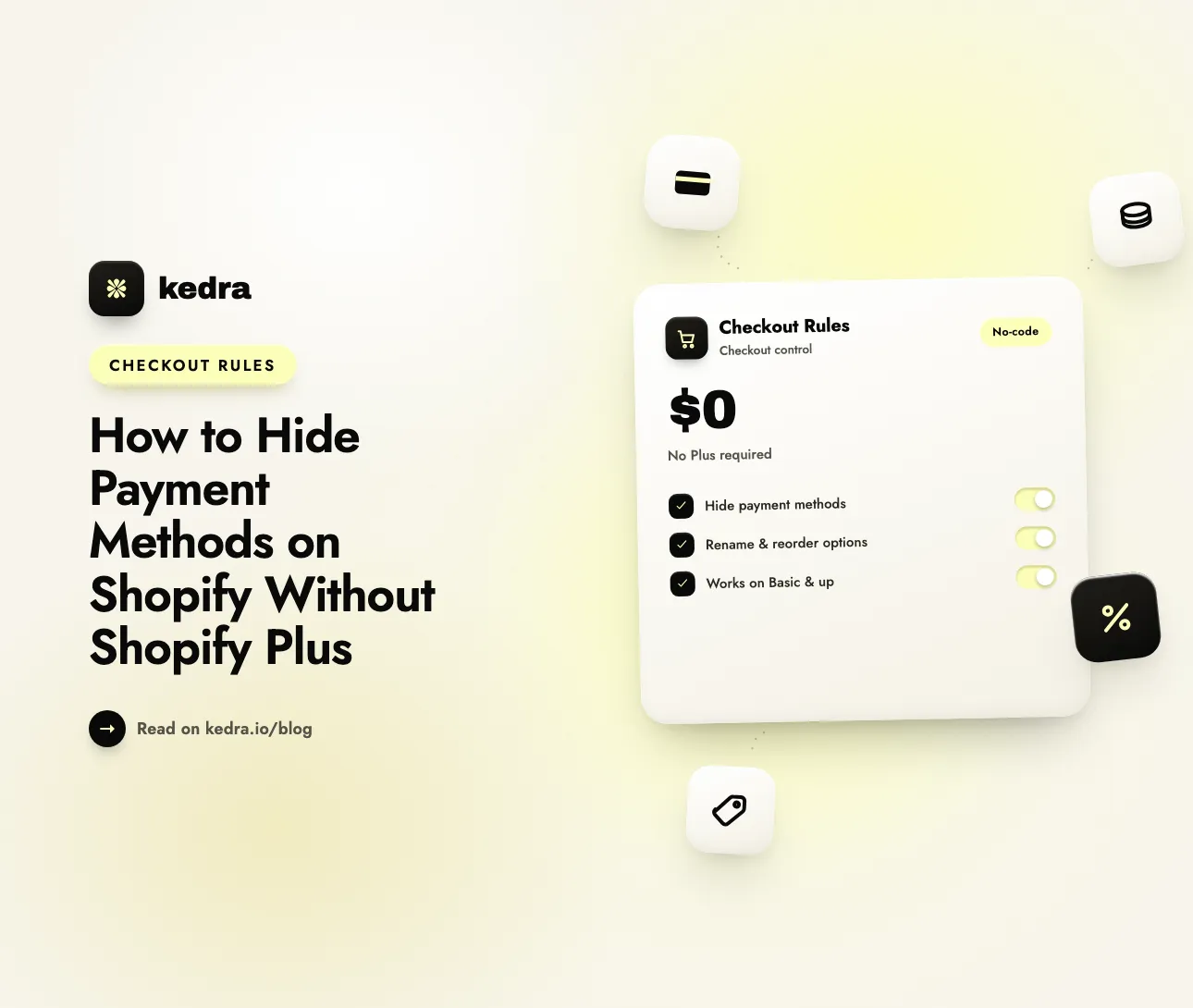
No, you don’t need Shopify Plus to hide payment methods on Shopify. Merchants on Basic, Shopify, and Advanced can hide, rename, and reorder payment methods at checkout by installing a no-code app built on Shopify’s Payment Customization Function - the same technology Plus uses. A Plus upgrade, custom code, and Shopify Scripts are all unnecessary.
The payment methods you show at checkout move both conversion and cost. Baymard Institute, which maintains the most-cited checkout research, puts the average documented cart-abandonment rate at 70.22% and finds that 9% of US shoppers who abandon during checkout do so because “there weren’t enough payment methods” (Baymard Institute, updated September 2025). The opposite problem is just as expensive: showing Cash on Delivery on a high-value order, or a high-fee method you’d rather discourage, invites fraud, chargebacks, and thinner margins. Controlling which methods appear - and when - is a lever on sales and losses at the same time.

Table of Contents
- Do you need Shopify Plus to hide payment methods?
- What can (and can’t) you hide on each Shopify plan?
- Should you still use Shopify Scripts or checkout.liquid?
- How to hide payment methods on Shopify without Plus (step by step)
- What conditions can you hide payment methods by?
- Frequently Asked Questions
Do you need Shopify Plus to hide payment methods?
No. Hiding a payment method at Shopify checkout does not require Shopify Plus. The control runs on Shopify Functions, and the payment, delivery, and discount customization Functions are available on every plan except the entry-level Shopify Starter plan (Shopify Dev). So a store on Basic, Shopify, or Advanced has the same underlying capability Plus does for hiding, renaming, and reordering methods.
There is one important distinction. Shopify offers no native, point-and-click setting to conditionally hide a payment method on any plan - its own documentation is explicit: “If you want to customize your payment methods at checkout, then you need to install a third-party app that supports payment method customizations, and then configure your customizations” (Shopify Help Center). The practical path on every plan is the same: install a payment-customization app. Public apps that use Shopify Functions run on all paid plans - only custom apps you build in-house with Functions are restricted to Plus.
That makes this a checkout customization problem, not a plan problem. A no-code Shopify checkout customizer like Kedra Checkout Rules applies the same Payment Customization Function on Basic that an enterprise store applies on Plus, so you can customize your checkout without paying for a plan tier you don’t otherwise need.
See how Kedra Checkout Rules customizes your checkout on any plan →
What can (and can’t) you hide on each Shopify plan?
Your plan does change which methods you can touch, and being honest about that matters. In the United States and Canada, non-Plus stores can customize only alternative (non-credit-card) payment methods - Cash on Delivery, PayPal, bank transfer, and Buy Now Pay Later options like Afterpay and Klarna. Credit-card fields stay as Shopify offers them. Shopify’s Help Center states it plainly:
“In the United States and Canada, these customizations are limited to non-credit card payment methods. You can hide, rename, reorder, or sort alternative payment methods, however any custom settings applied to credit card fields won’t apply at checkout, and credit card options will remain standard as offered by Shopify.” - Shopify Help Center
Outside the US and Canada, that credit-card restriction does not apply, so a non-Plus store can customize all of its payment methods. Shopify Plus removes the restriction everywhere and adds two extras: the ability to set payment terms (Net 30/60) at checkout, and hiding a method only in a specific placement rather than removing it entirely. Here is the full picture:
| Capability | Basic / Shopify / Advanced | Shopify Plus |
|---|---|---|
| Install a payment-customization app (Shopify Functions) | ✅ Yes | ✅ Yes |
| Hide, rename, reorder alternative methods (COD, PayPal, BNPL, bank transfer) | ✅ Yes | ✅ Yes |
| Customize credit-card fields in the US & Canada | ❌ No (stay as-is) | ✅ Yes |
| Customize all methods outside the US & Canada | ✅ Yes | ✅ Yes |
| Set payment terms (Net 30/60) at checkout | ❌ No | ✅ Yes |
| Hide a method in a specific placement only | ❌ Hides it entirely | ✅ Yes |
| Starting cost | Free - from $6.99/month (app) | ~$2,300/month + app |
For most merchants, the gap is small and the cost difference is enormous. Shopify Plus starts at roughly $2,300 per month on a three-year term (Shopify quotes Plus pricing through its sales team) before apps and transaction fees, while a payment-rules app covers the same hide/rename/reorder work from a free tier. If you’re weighing the two routes, our breakdown of Shopify Plus checkout customization versus third-party apps runs the numbers in full, and you can compare the leading tools in our best Shopify checkout rules apps for 2026 roundup.
A quick note on wallets and Shop Pay: methods shown as logos - Shop Pay, Apple Pay, Google Pay - cannot be renamed; wallets can be removed but not reordered; and customizations do not apply inside the Shop Pay window except for the native gift card field (Shopify Dev). These limits are the same on Plus; they’re platform rules, not plan rules.
Should you still use Shopify Scripts or checkout.liquid?
If you find an older tutorial that tells you to hide a payment method with Shopify Scripts or by editing checkout.liquid, skip it - both are gone. checkout.liquid stopped working for the Information, Shipping, and Payment steps on August 13, 2024 (Shopify Changelog), and Shopify Scripts reached its final sunset on June 30, 2026, with editing shut off on April 15, 2026 (Shopify Help Center). Scripts were also Shopify Plus only, so they were never the answer for a non-Plus store anyway.
The replacement is checkout extensibility: Shopify’s modern, upgrade-safe framework that uses Shopify Functions and checkout UI extensions instead of the retired Liquid file and Ruby scripts. Shopify points merchants to migrate Scripts customizations to Shopify Functions or a public app, and every rule you build on Functions keeps working through platform upgrades. For a plain-English walkthrough of the technology, see our guide to how Shopify checkout functions power modern checkouts.
The practical upshot: a payment-customization app built on checkout extensibility removes the method server-side from the list of available options, rather than hiding it with a bit of front-end CSS that can flicker back or be bypassed. That’s the difference between a payment method that’s truly unavailable and one that only looks hidden.
How to hide payment methods on Shopify without Plus (step by step)

Kedra Checkout Rules is a no-code Shopify checkout customizer (free plan available) built on Shopify’s checkout extensibility, and it hides payment methods on any paid plan from a single dashboard - no Plus, no developer, no Scripts. Here’s the full workflow:
- Confirm the method is enabled in Settings → Payments. A rule can only hide a method Shopify is already offering, so make sure the payment method you want to control (for example, Cash on Delivery) is active first.
- Install Kedra Checkout Rules from the Shopify App Store. It works on Basic, Shopify, and Advanced, and the free plan includes one active rule per type - enough to hide a single method.
- Create a new payment rule and choose “Hide payment method.” The app uses the Payment Customization Function under the hood, so the change applies to Shopify’s live checkout automatically.
- Select the method to hide. Pick the alternative method you want to remove - COD, PayPal, a manual bank transfer, or a BNPL option such as Afterpay or Klarna.
- Set the condition. Choose when the method disappears: cart total or order value, specific products or collections, customer tag, company/B2B, order weight, or country. For example, hide Cash on Delivery whenever the order total is over $150.
- Add rename or reorder rules if you need them. In the same app you can relabel a confusingly named payment option and push your best-converting method to the top - reordering payment methods is a conversion lever in its own right.
- Save, publish, and test at your live checkout. Place a real test order that meets your condition and confirm the method is gone, then check one that doesn’t meet it and confirm the method still shows.
That’s the entire process - no theme edits and no Plus contract. Because the rule runs on Shopify Functions, it holds up across checkout updates and applies consistently to every shopper who hits the condition.
Customize your Shopify checkout free - install Kedra Checkout Rules →
What conditions can you hide payment methods by?
Hiding a method is only as useful as the conditions you can attach to it. A good checkout customizer lets you trigger a payment rule on:
- Cart total or order value - hide Cash on Delivery or bank transfer above a threshold you set, which effectively pairs payment control with order limits on risky high-value orders.
- Specific products or collections - remove COD on fragile, custom, or final-sale items where a refused delivery hurts most.
- Customer tag or B2B company - show Net terms and bank transfer to wholesale accounts while hiding them from retail buyers.
- Order weight or shipping method - hide a payment option that doesn’t fit a freight or local-pickup order.
- Country or region - restrict a method in markets with high chargeback rates. (This is its own deep topic; see our guide to hiding payment methods by customer location.)
Common, high-value use cases follow directly from that list: hide COD once an order crosses your order-limit ceiling, hide BNPL on low-margin products, hide bank transfer for first-time customers, or surface only subscription-compatible methods on recurring products. Each of these is a small piece of checkout customization that protects margin or lifts conversion - and none of them need Shopify Plus. You can see the whole toolkit on the Kedra apps lineup.
Kedra Checkout Rules: a Shopify checkout customizer
Under the hood, Kedra Checkout Rules runs on Shopify checkout extensibility - Shopify Functions and checkout UI extensions - the modern, upgrade-safe way to customize your checkout. Every rule you build is a checkout customization that survives theme updates. Use this checkout customizer to validate orders, enforce order limits, and hide, rename, or reorder payment methods without editing code.
For a deeper dive, see how to migrate from Shopify Scripts to a checkout rules app.
Frequently Asked Questions
Do you need Shopify Plus to hide payment methods at checkout?
No. Hiding payment methods runs on Shopify Functions, which are available on every plan except Shopify Starter. Stores on Basic, Shopify, and Advanced install a payment-customization app to hide, rename, and reorder methods. Plus only adds credit-card field customization in the US and Canada, payment terms, and placement-specific hiding - none of which most merchants need.
Can you hide payment methods on the Shopify Basic plan?
Yes. The Basic plan is the minimum required to customize payment methods, and it supports hiding, renaming, and reordering alternative methods such as Cash on Delivery, PayPal, bank transfer, and Buy Now Pay Later. You do this through a checkout customizer app built on Shopify Functions. In the US and Canada, credit-card fields are the only thing Basic can’t customize.
Can I hide a payment method on Shopify without an app?
Not reliably. Shopify has no native setting to conditionally hide a payment method, and its documentation directs merchants to install a third-party app for the job. You could write a custom Shopify Function, but that needs a developer and, for a custom app, Shopify Plus. For non-Plus stores, a public payment-rules app is the only no-code, supported route.
Why can’t I hide the credit card option at checkout in the US or Canada?
In the US and Canada, Shopify limits non-Plus stores to customizing non-credit-card methods; any rule applied to credit-card fields simply won’t take effect at checkout. This is a Shopify platform restriction, not an app limitation. To hide or reorder credit-card fields specifically in those two countries, you need Shopify Plus. Everywhere else, non-Plus stores can customize all methods.
Is there a free way to hide payment methods on Shopify?
Yes. Kedra Checkout Rules offers a free plan that includes one active rule per type, which is enough to hide a single payment method by condition. Paid tiers (from $6.99/month) unlock more rules and conditions, full analytics, and custom error messages. You can start hiding a method at no cost and upgrade only if you need multiple rules.
Can I still use Shopify Scripts to hide payment methods?
No. Shopify Scripts reached its final sunset on June 30, 2026, and editing was disabled in April 2026, so any Script-based payment rule has stopped running. Scripts were also Shopify Plus only. The supported replacement is a Shopify Function - used directly by a developer or, for no code, through a checkout customizer app that works on any paid plan.
The bottom line: your plan isn’t the obstacle
Hiding a payment method on Shopify has almost nothing to do with whether you’re on Plus. Shopify Functions power the capability on every plan from Basic up, Shopify itself tells you to use an app, and paying roughly $2,300 a month for Plus changes little beyond credit-card fields in the US and Canada, plus payment terms and placement-specific hiding that most merchants never use. For hiding, renaming, and reordering the alternative methods that cause most of the fraud, cost, and confusion, a free checkout customizer does the job on your current plan.
With 9% of abandoning shoppers blaming limited payment options and the average cart-abandonment rate sitting above 70%, curating the methods each shopper sees is one of the highest-leverage checkout changes you can make. Kedra Checkout Rules handles the whole set - hide, rename, reorder, and validate - on Shopify’s checkout extensibility, starting free and running on any paid plan.
Install Kedra Checkout Rules free on the Shopify App Store and hide your first payment method today - no Shopify Plus required.