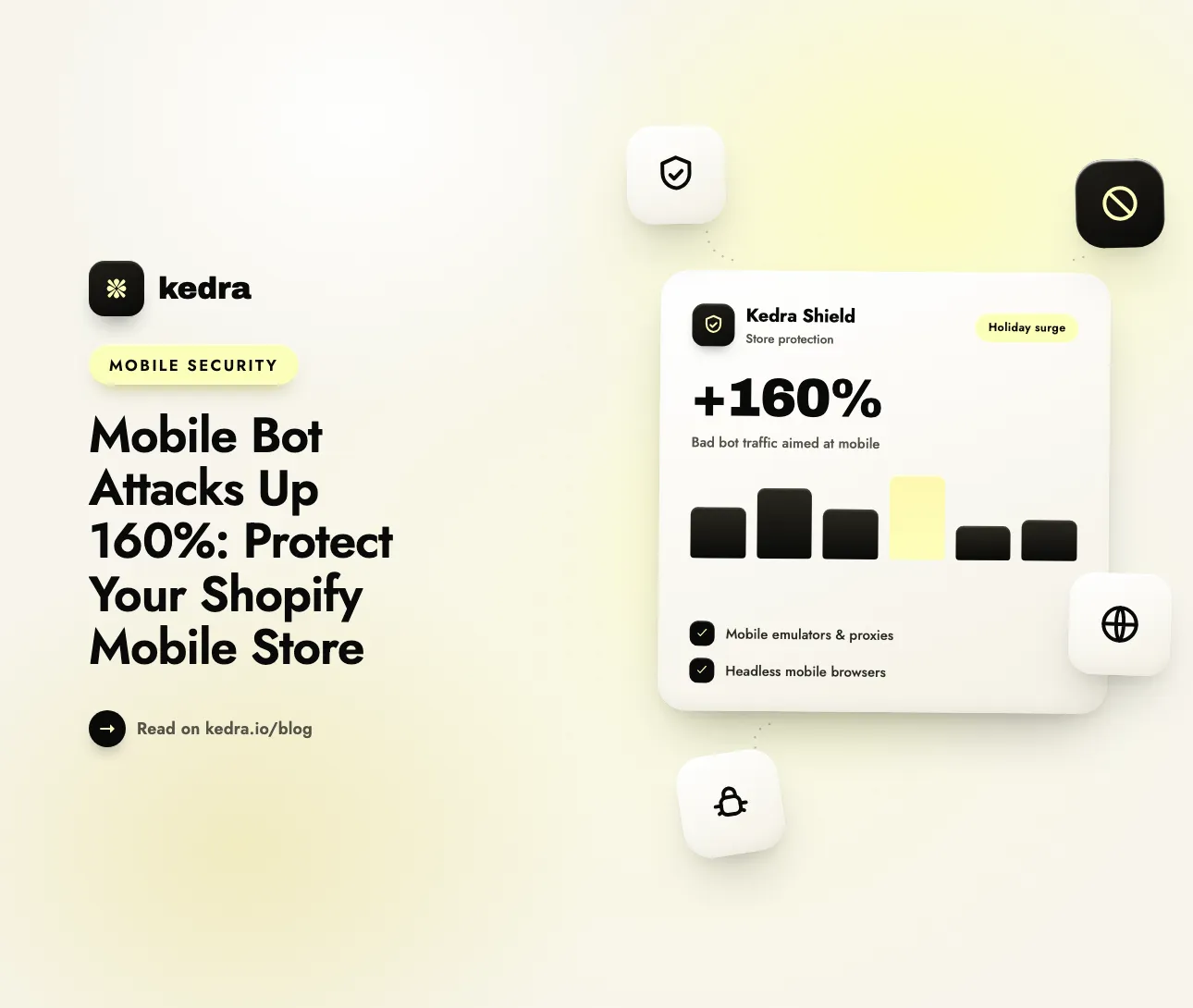
Mobile bot attacks are rising because mobile is where the money is. Radware measured a 160% increase in malicious bot traffic targeting mobile platforms between the 2023 and 2024 holiday seasons. To protect a Shopify mobile storefront, block proxy, VPN, and data-center traffic at the network layer, guard logins and launches, and never rely on the user-agent string.
The shift follows shopper behavior. Adobe Digital Insights reported that 56.4% of US online holiday spending in 2025 happened on smartphones, the first full year mobile passed half of all online spend (Adobe, January 7, 2026). When most of your revenue flows through a phone screen, attackers dress their bots up as phones. That makes mobile bots harder to spot, and a mobile storefront that isn’t specifically defended is the easiest door into your store.

Table of Contents
- What is a mobile bot attack?
- Why did mobile bot attacks increase 160%?
- How do bots disguise themselves as mobile shoppers?
- What do mobile bots actually do to a Shopify store?
- Why is mobile traffic harder to protect than desktop?
- How to protect your Shopify mobile storefront in 7 steps
- How Kedra Shield protects your mobile storefront
- Frequently Asked Questions
What is a mobile bot attack?
A mobile bot attack is automated traffic that pretends to be a real shopper on a phone, using mobile emulators, spoofed mobile browsers, or mobile and residential proxy networks, to scrape, take over accounts, test stolen cards, or buy up stock. The bot isn’t necessarily running on a phone. It only needs to look like one to your store.
The distinction matters because many stores still treat “mobile visitor” as shorthand for “real customer.” Desktop traffic from a cloud server looks suspicious at a glance. A request that arrives with an iPhone Safari user agent from a mobile carrier’s IP range looks like your best customer, and attackers know it.
Mobile bot attacks target the same things all bad bots target: your inventory, your customer accounts, your prices and content, and your payment flow. What changes is the camouflage.
Why did mobile bot attacks increase 160%?
Mobile bot attacks surged because attackers follow the shoppers, and mobile traffic is easier to blend into. Radware’s 2025 E-commerce Bot Threat Report (April 23, 2025) documented the jump across the 2023 and 2024 holiday seasons, alongside several related shifts:
- Malicious bot traffic targeting mobile platforms rose 160% year over year.
- Automated bots generated 57% of e-commerce traffic during the 2024 holiday season, the first time bots outnumbered human shoppers.
- Nearly 60% of malicious traffic used advanced behavioral techniques such as rotating IPs, distributed attacks, and CAPTCHA-farm services to slip past signature-based detection.
- Attack traffic from ISP networks grew 32%, as attackers routed bots through residential proxies to dodge rate limits and IP blocks.
Ron Meyran, Radware’s VP of Cyber Threat Intelligence, summarized the change: “Bad bots are no longer just based on simple scripts—they’re sophisticated, AI-enhanced agents capable of outsmarting traditional defenses.”
The trend has not reversed. Radware’s follow-up report (June 23, 2026) found that bad bots made up 43% of holiday shopping traffic in 2025, up from 31% a year earlier, against 46% from human shoppers. At one multinational retailer, account takeover attacks more than quintupled and fake account registrations grew sixfold. Radware’s Chief Growth Officer Connie Stack put it bluntly: “malicious bots alone are approaching the size of the entire human shopping audience during peak shopping periods.”
For a broader look at what that automated share means for a Shopify store, see our breakdown of why 57% of e-commerce traffic is now bots.
Not sure how exposed your store is? Run the free Shopify Security Audit to see which bot, fraud, and content-protection gaps you have today. No login needed.
How do bots disguise themselves as mobile shoppers?
Bots disguise themselves as mobile shoppers by faking the three signals most stores trust: the device, the browser, and the network. Radware identified three main techniques behind the 160% surge, and industry data shows a fourth growing fast.
- Mobile emulators. Software that simulates an Android or iOS device, including screen size, touch events, and device properties, so a server farm can run hundreds of “phones” at once.
- Headless browsers with mobile user-agent strings. A scriptable browser with no visible window that announces itself as mobile Safari or Chrome for Android. The user-agent string is plain text that any script can change in one line.
- Mobile-specific and residential proxies. Networks that route bot traffic through real carrier and home-broadband IP addresses, so requests appear to come from ordinary phones on ordinary networks.
- Direct API automation. Instead of loading your storefront at all, bots call the APIs that mobile apps and headless storefronts use. Imperva’s 2026 Bad Bot Report (April 29, 2026) found that 27% of bot attacks now target APIs, and that automated traffic reached 53% of all web traffic in 2025.
The proxy layer is the part merchants underestimate most. F5 Labs’ 2025 Advanced Persistent Bots Report (March 28, 2025), built on more than 200 billion web and API transactions, concluded that “virtually every single cellular IP address passes some bot traffic.” A mobile carrier IP is no longer proof of a human.
What do mobile bots actually do to a Shopify store?
Mobile bots run the same playbook as desktop bots, but they hit harder where mobile shoppers are concentrated: logins, fast-moving product drops, and checkout. The table below maps each attack to how it shows up on mobile and what it costs a Shopify merchant.
| Attack | What it looks like on mobile | Business impact |
|---|---|---|
| Account takeover / credential stuffing | Thousands of login attempts from “iPhones” on carrier IPs | Hijacked customer accounts, stolen store credit, support load |
| Scalping and inventory hoarding | Emulated phones adding limited stock to carts in seconds | Sold-out launches, angry real customers, resale markups |
| Card testing (carding) | Small test orders from mobile proxies | Chargebacks, payment-processor penalties, fraud fees |
| Fake account creation | Mass sign-ups for first-order discounts or referral credit | Promo abuse, polluted email lists |
| Price and content scraping | Headless mobile browsers pulling product pages and images | Undercut pricing, copied descriptions, SEO damage |
| Analytics pollution | Mobile sessions with zero engagement and no purchases | Misleading conversion rates and wasted ad spend |
The numbers behind the first two rows are stark. F5 Labs measured that 23.8% of e-commerce mobile API authentication traffic came from bots, meaning nearly one in four login attempts through e-commerce mobile APIs was automated. F5 also found that more than one in five add-to-cart transactions were automated by reseller bots. Radware’s 2026 report ranked account takeover, price scraping, and fake account registration as the most frequently cited bot attack types.
If logins are your pain point, our guide to credential stuffing attacks on Shopify customer accounts goes deeper. For product drops, read how inventory hoarding bots ruin Shopify launches.

Why is mobile traffic harder to protect than desktop?
Mobile traffic is harder to protect because the signals that separate bots from humans on desktop are blurry on phones, and the obvious fixes hurt real mobile shoppers. Four constraints shape any mobile bot defense:
- Carrier IPs are shared. Mobile networks put many subscribers behind a small pool of public IP addresses (carrier-grade NAT). Blocking one cellular IP can lock out every real shopper sharing it, so IP-by-IP blocking is a blunt tool on mobile.
- Some privacy features look like proxies. Apple’s iCloud Private Relay, for example, routes Safari traffic for many iPhone users through relay servers that hide their real IP address. A careless “block every proxy” rule can catch loyal customers. We cover the trade-offs in should you block VPN and proxy orders on Shopify.
- User agents prove nothing. A mobile user-agent string is a claim, not evidence. Any rule that trusts “this says it’s an iPhone” is a rule bots already pass.
- Friction costs more on a small screen. Every extra challenge, pop-up, or slow script is more painful on a phone. Heavy client-side security can also drag down page speed, which is why it’s worth checking the performance impact of any security app before you install it.
The practical conclusion: mobile defense has to be layered and targeted. Filter the network sources real shoppers rarely use (data centers, TOR, anonymizing proxies on high-risk flows), protect the specific pages bots attack (login, sign-up, launches, checkout), and keep friction away from everyone else.
How to protect your Shopify mobile storefront in 7 steps
You protect a Shopify mobile storefront by combining Shopify’s built-in defenses with network-level bot blocking and a regular review routine. Work through these seven steps in order; each one closes a gap the previous one leaves open.
- Baseline your mobile traffic. In Shopify admin, go to Analytics → Reports and open Sessions by device type. Compare mobile sessions against mobile orders week over week. A sudden spike in mobile sessions with no matching rise in conversions, or a mobile conversion rate that quietly collapses, is the classic fingerprint of bot traffic.
- Keep Shopify’s hCaptcha switched on. Go to Online Store → Preferences → Spam protection and confirm that hCaptcha is enabled for contact and comment forms and for login, create-account, and password-recovery pages (Shopify Help Center). This is your first line against credential stuffing and fake sign-ups, and it’s free.
- Block anonymizing networks, not carrier IPs. Filter VPN, proxy, TOR, and data-center traffic at the network layer. These sources account for a large share of emulator and scraper farms while carrying very little genuine mobile shopping. Avoid blocking individual cellular IPs, for the shared-IP reasons above.
- Restrict traffic to the markets you actually serve. If you only ship to the US, Canada, and the UK, there is little reason to accept sign-ups and checkouts from everywhere else. Country and city rules shrink the pool of attack traffic that can reach your forms at all.
- Harden your launch and login moments. Bots concentrate on limited drops, first-order discounts, and account pages. Before a launch, tighten blocking rules, cap quantities per order, and watch login failure rates in real time.
- Protect your product content and images. Headless mobile browsers scrape descriptions and product photography at scale. Content and image protection won’t stop a determined scraper on its own, but it raises the cost of casual copying and pairs well with bot blocking.
- Review blocked traffic every week and before peak season. Check which IPs, countries, and network types were blocked, look for new patterns, and loosen any rule that is catching real customers. Our monthly, quarterly, and annual Shopify security audit checklist turns this into a routine.
How Kedra Shield protects your mobile storefront
Kedra Shield is a Shopify security app that covers steps 3, 4, 6, and 7 of the plan above from a single dashboard, filtering the network sources mobile bots hide behind without adding friction for real shoppers on phones. Here is how each feature maps to a mobile bot tactic:
- VPN, proxy, and TOR blocking targets the anonymizing networks that emulator farms and scrapers route through, the same “mobile-specific proxies” Radware tied to the 160% surge. The free plan blocks up to 10 VPN/bot users; paid plans from $7.99/month unlock unlimited VPN and proxy blocks.
- Bot detection filters automated visitors before they reach your product pages, so spoofed mobile user agents and headless browsers don’t get a free pass.
- Country, city, and IP blocking lets you allowlist the markets you ship to and block specific abusive IPs, while keeping blanket carrier-level blocks off the table.
- Image and content protection, including disabled right-click, copy-paste, and developer shortcuts, raises the cost of scraping your product photography and copy.
- Blocked-user statistics and fraud order analytics show exactly who was stopped and why, which is the evidence you need for the weekly review in step 7.
A practical setup for a mobile-heavy store:
- Install Kedra Shield and open its dashboard from Apps in your Shopify admin.
- Turn on bot blocking and VPN/proxy blocking store-wide.
- Add your core markets to a country allowlist (or blocklist only high-risk regions if you sell globally).
- Enable image protection on product pages.
- Check the blocked users report after your next traffic spike, and fine-tune any rule that catches a real customer.
One honest note on scope: Kedra Shield protects your online store, which covers mobile and desktop browser traffic. If you also run a native mobile app or a headless storefront that talks to Shopify’s APIs directly, pair Shield with API-level rate limiting and monitoring on that stack.
Install Kedra Shield free on the Shopify App Store and start filtering the proxy and bot traffic hiding inside your mobile sessions.
Frequently Asked Questions
Are mobile bot attacks really up 160%?
Yes. Radware’s 2025 E-commerce Bot Threat Report found that malicious bot traffic targeting mobile platforms rose 160% between the 2023 and 2024 holiday shopping seasons. Radware’s June 2026 follow-up showed bad bots overall climbing to 43% of holiday shopping traffic, up from 31%, so pressure on mobile storefronts is still growing.
How can I tell if bots are hitting my Shopify mobile store?
Open Shopify’s Sessions by device type report and compare mobile sessions to mobile orders. Warning signs include sudden mobile traffic spikes with no sales, falling mobile conversion rates, bursts of failed logins, mass account sign-ups, and products selling out in seconds. A security app’s blocked-traffic log confirms which sources are automated.
Should I block all mobile proxy and VPN traffic?
Not blindly. Blocking anonymizing proxies, TOR, and data-center traffic stops much of the emulator and scraper traffic, but some real shoppers use privacy tools such as iCloud Private Relay or a work VPN. Block these sources on high-risk flows, allowlist your core markets, and review blocked users regularly to catch false positives.
Does Shopify protect my store from mobile bots by default?
Partially. Shopify enables hCaptcha on contact, comment, login, account-creation, and password-recovery forms, and Shopify handles platform-level security. hCaptcha does not filter proxy, VPN, or data-center traffic across your whole storefront, and it doesn’t stop scraping of product pages. A dedicated security app fills those gaps.
Will bot protection slow down my mobile store?
It shouldn’t, if it’s chosen well. Network-level blocking decides quickly whether a visitor is allowed, instead of loading heavy scripts for every shopper. Test your storefront’s mobile PageSpeed score before and after installing any security app, and remove tools that add noticeable load time for real customers.
Protect the channel that pays your bills
Mobile is now where most online shopping happens, with 56.4% of 2025 US holiday spend on smartphones, and attackers have followed. A 160% jump in mobile-targeted bot traffic, bad bots nearing the size of the human shopping audience, and “virtually every” cellular IP carrying some bot traffic all point to the same conclusion: a phone-shaped visitor is not automatically a customer.
The defense is layered, not heavy. Keep Shopify’s hCaptcha on, block the anonymizing networks bots hide behind, restrict traffic to the markets you serve, harden your launches and logins, and review what you block every week. Do that, and your mobile storefront stays fast for real shoppers and expensive for bots.
Get Kedra Shield on the Shopify App Store and protect your mobile storefront before the next holiday surge, or start with the free Shopify Security Audit to see where you stand.