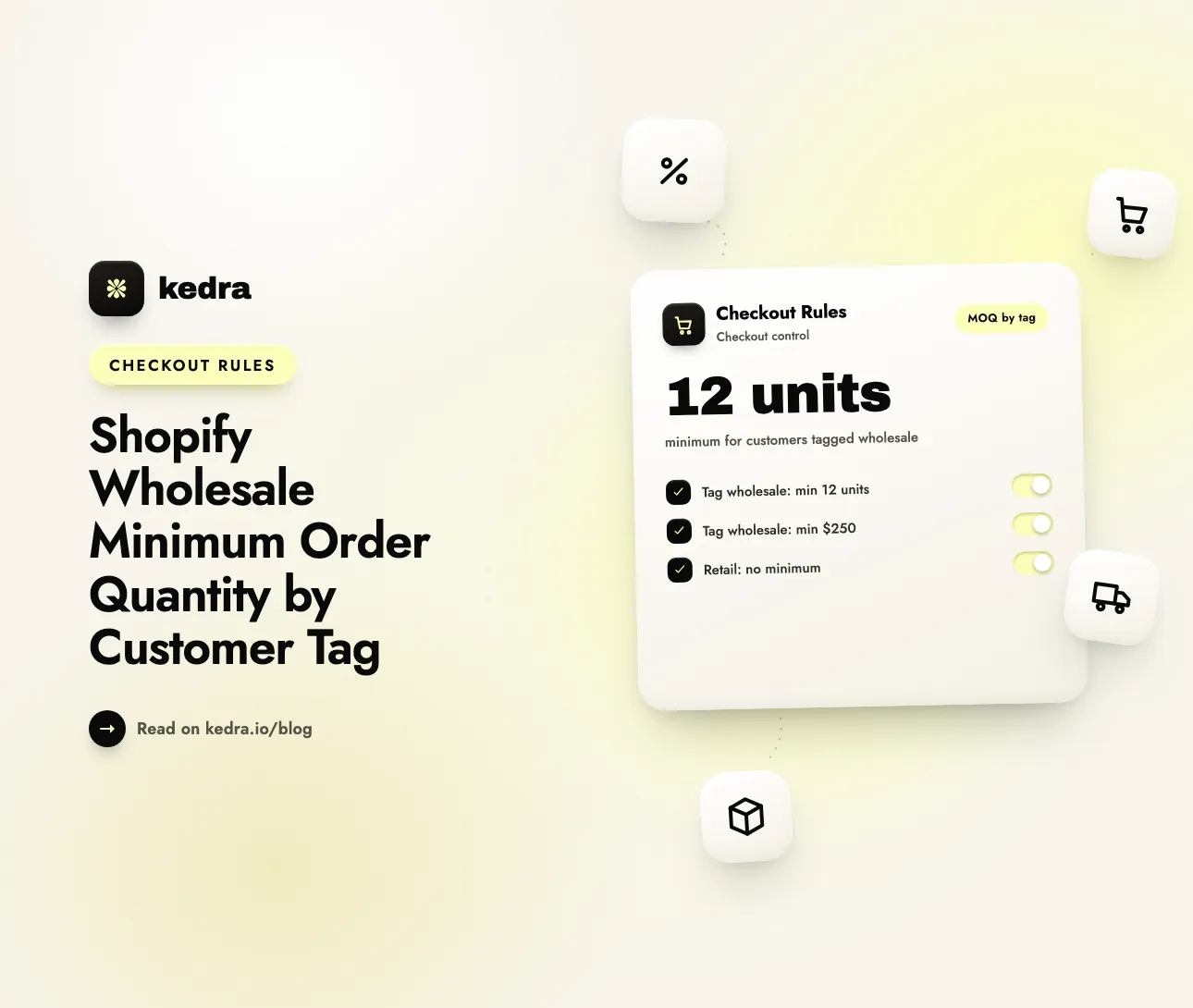
To set a Shopify wholesale minimum order quantity by customer tag, tag your wholesale buyers (for example wholesale) and add a checkout validation rule: if Customer tag equals “wholesale” AND Order total quantity is less than 12, block checkout. Retail shoppers have no tag, so the rule never fires for them and they can still buy one item.
That one rule solves a problem every hybrid store hits. Shopify’s own figures show why wholesale is worth the trouble: when Shopify opened its core B2B features to Basic, Grow, and Advanced plans on April 2, 2026, it said that “merchants using Shopify B2B see up to a 4.1x increase in reorder frequency compared to DTC orders”. Repeat wholesale orders only pay off if each one is big enough to cover picking, packing, and your trade discount. A minimum order quantity (MOQ) is how you guarantee that, and a customer tag is how you apply it to the right people only.

Table of contents
- What is a minimum order quantity for wholesale customers?
- Why set MOQ by customer tag instead of for everyone?
- Does Shopify have native minimum order quantities for wholesale?
- Native B2B quantity rules vs customer-tag checkout rules
- The 5 MOQ rules to copy (wholesale vs retail)
- How to set it up in Kedra Checkout Rules
- What a tag-based MOQ can’t do
- Frequently Asked Questions
What is a minimum order quantity for wholesale customers?
A minimum order quantity for wholesale customers is the smallest order a trade buyer must place to get access to wholesale terms. Shopify’s own definition is short: “A minimum order quantity (MOQ) is the smallest quantity a supplier will accept in a single order” (Shopify blog, May 2026).
On a Shopify store, an MOQ usually takes one of three shapes:
- Unit minimum for the whole cart - “wholesale orders need at least 12 items.”
- Value minimum (minimum order value) - “wholesale orders need at least $250 before shipping.”
- Per-product minimum - “candles are sold to stockists in packs of 6 or more.”
Retail customers normally have none of these. A shopper buying a gift should be able to check out with one candle. The whole challenge is enforcing the minimum for one group without touching the other.
Why set MOQ by customer tag instead of for everyone?
Setting the MOQ by customer tag means only accounts you have approved as wholesale see the minimum, while every other shopper keeps a normal retail checkout. A store-wide minimum would push away retail buyers. No minimum at all lets wholesale accounts place $18 orders at trade prices.
Customer tags are the simplest way to split those two groups, because most stores already use them. Wholesale apps, approval forms, and Shopify Flow workflows commonly tag approved trade accounts with wholesale, b2b, or a tier like wholesale-gold. You can also add a tag by hand under Customers → [customer] → Tags.
Without a tag-based MOQ, hybrid stores run into the same problems again and again:
- Margin leaks. A wholesale discount on a three-item order often costs more than the order earns once you count fulfillment.
- Manual policing. Staff cancel or edit undersized trade orders after the fact, then email the buyer to explain.
- Retail friction. Blanket minimums added “just for wholesale” end up blocking ordinary shoppers.
- Inconsistent terms. Some trade buyers get waved through and others don’t, which strains the relationship.
B2B buyers increasingly expect to handle all of this alone. In a Gartner survey of 646 B2B buyers published in March 2026, 67% said they prefer a rep-free buying experience. “B2B buyers are progressing through critical buying tasks in more autonomous ways,” said Alyssa Cruz, senior principal analyst at Gartner. A self-serve wholesale checkout needs its MOQ enforced automatically. Nobody should have to check each order by hand.
Want to see the rule builder first? Explore Kedra Checkout Rules - a no-code Shopify checkout customizer that applies rules by customer tag, cart quantity, product, and more.
Does Shopify have native minimum order quantities for wholesale?
Yes, but only for B2B company customers on B2B catalogs. Shopify does not have a native setting that applies an MOQ to regular customers by customer tag.
Native quantity rules belong to Shopify B2B. Since April 2, 2026, B2B is available on Basic, Grow, Advanced, and Plus. Non-Plus plans get “up to three custom catalogs with tailored pricing, volume discounts and quantity rules”. You set them under Markets → Catalogs → [catalog] → Products and pricing → Manage → Manage products and pricing, then click + Add in the Quantity rules column.
Three details in Shopify’s quantity rules documentation matter for MOQ planning:
- Rules are per variant. “Minimum and maximum quantity rules apply to product variants,” and buyers can’t combine different variants to meet a rule. Six small plus six large shirts does not satisfy a 12-unit minimum on the shirt.
- There is no cart-wide unit or value minimum. Quantity rules set minimums, maximums, and increments on items. They don’t let you say “12 items in total” or “$250 per order.”
- They apply through catalogs assigned to companies. The rules only reach buyers who are logged in as a B2B company with that catalog assigned. Customers you simply tagged
wholesaledon’t get them.
Shopify merchants keep asking about this gap. A Shopify Community thread titled “How to set minimum order amount by collection or customer tag?” got only custom-code and app answers. That’s the job a checkout rule does.
Native B2B quantity rules vs customer-tag checkout rules
Native B2B quantity rules work best for per-variant minimums and increments for company buyers. Customer-tag checkout rules work best for cart-wide unit or value minimums for any tagged customer. Many stores use both.
| Shopify B2B quantity rules | Customer-tag rule (Kedra Checkout Rules) | |
|---|---|---|
| Who it applies to | B2B company customers on an assigned catalog | Any customer with the tag you choose (wholesale, trade, wholesale-gold) |
| Cart-wide unit minimum (“12 items total”) | No | Yes - Order total quantity |
| Minimum order value (“$250 subtotal”) | No | Yes - Order subtotal amount |
| Per-product minimum | Yes, per variant | Yes, per product, summed across the variants you select |
| Case-pack increments (multiples of 6) | Yes | No - use native increments |
| Tiered minimums by tag | Via separate catalogs (3 on non-Plus) | One rule per tag |
| Where it’s enforced | Built into B2B ordering for company buyers | Checkout, server-side, with your error message |
| Shopify plan | Basic, Grow, Advanced, Plus | Any plan that can install apps |
If your wholesale buyers already live in Shopify B2B companies, start with native quantity rules for increments and per-variant minimums. Then add a checkout rule for the cart-wide minimums Shopify doesn’t offer. If your wholesale buyers are regular customer accounts with a tag, the checkout rule handles the whole MOQ by itself.
The 5 MOQ rules to copy (wholesale vs retail)
Each rule below is a Checkout validation rule in Kedra Checkout Rules. It is written in the app’s real condition names, and conditions in one group are joined with AND. Retail shoppers never match the wholesale tag, so every wholesale rule leaves them alone.
Rule 1: Wholesale cart minimum of 12 units
- Conditions: Customer tag → Equals to →
wholesaleAND Order total quantity → Is less than →12 - Action: Block checkout
- Error message (top of the checkout page): “Wholesale orders need at least 12 items. Add more items to continue, or contact us about a smaller order.”
Order total quantity counts every unit in the cart, so a buyer can mix products and variants to reach 12. That flexibility is exactly what per-variant native rules don’t allow.
Rule 2: Wholesale minimum order value of $250
- Conditions: Customer tag → Equals to →
wholesaleAND Order subtotal amount → Is less than →250 - Action: Block checkout
- Error message: “Wholesale orders have a $250 minimum before shipping and taxes.”
A value minimum often suits mixed catalogs better than a unit count, because 12 keychains and 12 rugs are very different orders. Order subtotal amount is the order value before shipping and taxes, so shipping can’t push a buyer over the line.
Rule 3: Per-product MOQ for wholesale (6+ of one product)
- Conditions: Customer tag → Equals to →
wholesaleAND Product → [your product] → For at least one product AND Product quantity → [same product] → Is less than →6 - Action: Block checkout
- Error message: “Stockists order the Soy Candle in packs of 6 or more.”
The middle condition matters. Product quantity counts 0 when the product isn’t in the cart, and 0 is less than 6. Without the Product condition, the rule would block every wholesale cart that doesn’t contain the candle. Product quantity adds up all the variants you pick, so 3 vanilla plus 3 cedar counts as 6. For a whole category, swap in Product quantity of collection.
Rule 4: Tiered minimums by tag
Create one rule per tier, each with its own threshold:
- Customer tag → Equals to →
wholesale-goldAND Order total quantity → Is less than →6 - Customer tag → Equals to →
wholesaleAND Order total quantity → Is less than →24
Tag matching is not case-sensitive by default, and Equals to checks every tag on the customer. To catch every tier in one rule, use Contains string → wholesale, which matches wholesale, wholesale-gold, and wholesale-eu.
Rule 5: Retail order limits (the reverse rule)
Hybrid stores often need the opposite too: a cap that stops retail shoppers from buying wholesale-sized quantities at retail-discount prices, or from clearing out a limited drop.
- Conditions: Customer tag → Not equals to →
wholesaleAND Product quantity of collection → [Limited Edition] → Is greater than →2 - Action: Block checkout
- Error message: “Limit 2 per customer on Limited Edition items. Trade buyers, please log in to your wholesale account.”
Guests have no tags, so Not equals to treats them as retail - which is what you want. For more on caps, see our guide to order limits for preventing bulk buying.

How to set it up in Kedra Checkout Rules
Kedra Checkout Rules is a no-code checkout customizer built on Shopify’s checkout extensibility. Its validation rules run as Shopify Functions inside checkout, server-side, so a wholesale buyer can’t get around the MOQ by editing the cart in the browser. The app keeps customer tags in sync automatically, so a tag you add in Shopify admin is available to your rules at checkout.
Step-by-step: wholesale MOQ by customer tag
- Tag your wholesale customers. In Shopify admin, open Customers, select the trade accounts, and add the tag
wholesale(or let your wholesale approval workflow add it). - Install Kedra Checkout Rules and open it from your Shopify admin.
- Click Create rule → Checkout validation. Pick Create custom in the template modal.
- Write the error message customers will see, and set Error position to Top of the checkout page - an MOQ isn’t tied to a single field.
- Set Validation trigger to On condition. Add Customer tag → Equals to → wholesale, click Add condition, then add Order total quantity → Is less than → 12. Keep both in the same group so they combine with AND.
- Save with status Test. Test rules only run when the checkout email is
[email protected]. Create a test customer with that email, tag itwholesale, log in, and try an 11-item cart (blocked) and a 12-item cart (allowed). Then check out as a guest with one item to confirm retail is untouched. - Switch the rule to Active.
- Tell buyers before checkout. Add “Wholesale minimum: 12 items” to your wholesale landing page, account welcome email, and product descriptions, so the checkout message confirms a policy instead of surprising anyone.
Which plan do you need?
A wholesale-vs-retail MOQ needs at least two conditions (the tag plus the quantity or value), so it needs a paid plan:
- Free: 1 active rule per rule type with 1 condition per rule and a standard error message. That’s fine for a store-wide limit, but too few conditions to separate wholesale from retail.
- Starter ($6.99/month): 3 active validation rules, up to 3 conditions per rule, and your own error messages. That covers Rules 1-3 or a two-tier setup.
- Starter Plus ($8.99/month): everything in Starter, plus post-purchase upsell offers.
- Unlimited ($12.99/month): unlimited active rules and conditions, for many tiers or per-product minimums.
Every paid plan includes a 7-day free trial, and yearly billing saves 30%. See how Kedra compares to other checkout rules apps if you’re still choosing.
Enforce my wholesale minimums - install Kedra Checkout Rules
What a tag-based MOQ can’t do
A customer-tag MOQ is reliable inside checkout, but it isn’t a full wholesale platform. Know these limits before you rely on it:
- It checks at checkout, not on the product or cart page. The app doesn’t change your storefront, so buyers first meet the rule at checkout. Put the MOQ in your product and wholesale pages too.
- Guests are treated as retail. A tag only exists when the buyer is logged in. A wholesale buyer who checks out as a guest won’t get the wholesale minimum - and usually won’t get wholesale pricing either.
- It doesn’t set prices. Wholesale pricing still comes from Shopify B2B catalogs, discounts, or your wholesale app. The rule only decides whether the order may go through.
- No case-pack increments. Quantity conditions compare with “is less than / greater than / equals.” For multiples of 6, use Shopify’s native B2B increment rules.
- Draft orders are skipped. Rules don’t apply to draft orders created in Shopify admin, which many stores use for phone and email wholesale orders. Check those by hand.
If your wholesale program grows into net terms, invoice-only payment, and company accounts, our guide to running B2B and D2C checkout on one Shopify store covers the full setup.
Customize your Shopify checkout for wholesale and retail
Kedra Checkout Rules is a Shopify checkout customizer built on Shopify’s checkout extensibility, the upgrade-safe framework that replaced checkout.liquid and Scripts. It gives you no-code checkout customization: set order limits and wholesale minimums by customer tag, and hide, rename, or reorder payment and shipping methods per segment. You customize your checkout with conditional rules instead of developer time.
Learn more about how Shopify checkout customization compares to native Plus tools.
Frequently Asked Questions
Can Shopify set a minimum order quantity for specific customers?
Natively, only for B2B company customers through catalog quantity rules, which are per variant. Shopify has no built-in setting that applies an MOQ to regular customers by tag. A checkout validation rule such as “Customer tag equals wholesale AND Order total quantity is less than 12 → block” fills that gap for any tagged customer, on any Shopify plan.
How do I set a minimum order for wholesale but not retail on Shopify?
Tag your wholesale customers, then create a checkout validation rule that only fires when the tag is present: Customer tag → Equals to → wholesale, plus your minimum (Order total quantity or Order subtotal amount → Is less than). Retail customers and guests don’t carry the tag, so their checkout is unchanged and they can still buy a single item.
Do Shopify B2B quantity rules work on non-Plus plans?
Yes. Since April 2, 2026, Shopify B2B is available on Basic, Grow, and Advanced plans as well as Plus. Non-Plus stores can use up to three active catalogs with volume pricing and quantity rules (minimum, maximum, and increment). The rules apply per variant to B2B company buyers on those catalogs, not to customers you have tagged.
What’s the difference between MOQ and minimum order value?
A minimum order quantity counts units - for example, at least 12 items per order. A minimum order value counts money - for example, at least $250 before shipping and taxes. Unit minimums suit stores with similar-priced products. Value minimums suit mixed catalogs where 12 cheap items and 12 expensive ones are very different orders.
Can wholesale buyers mix products to meet the minimum?
With a cart-wide rule, yes. The Order total quantity condition counts every unit in the cart, so a buyer can combine any products and variants to reach 12. Shopify’s native B2B minimums work per variant and don’t let buyers combine variants. For a per-product minimum, the Product quantity condition adds up all the variants of the product you select.
Set your wholesale minimum in ten minutes
A wholesale minimum order quantity by customer tag gives you the best of both channels: trade buyers place orders big enough to be worth fulfilling, and retail shoppers keep a one-item checkout. Tag your wholesale accounts, add one validation rule that pairs the tag with a quantity or value minimum, test it with a tagged test customer, and switch it on.