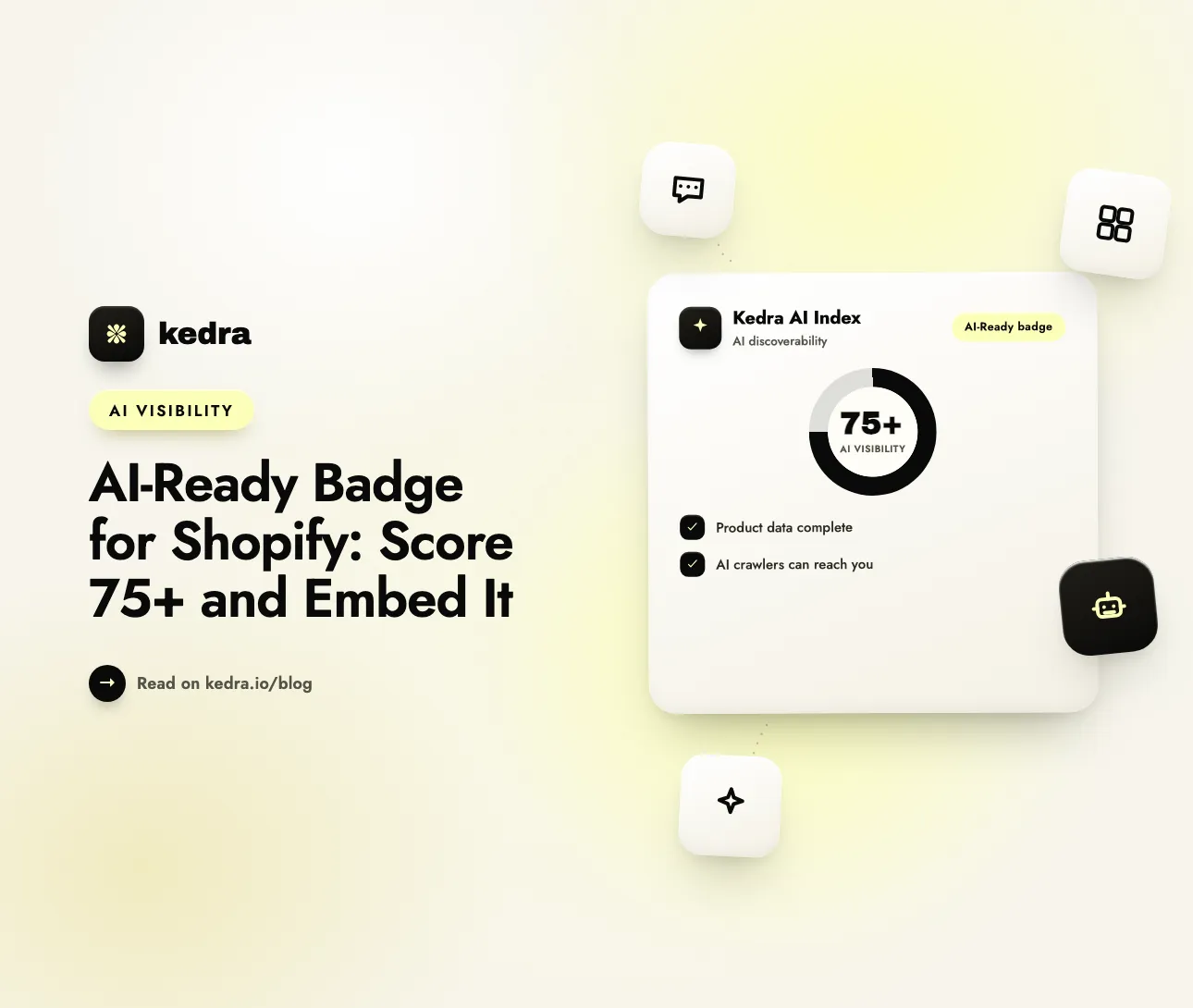
A Shopify store earns the AI-Ready badge by scoring 75 or higher out of 100 on Kedra’s free AI Visibility Checker. At 75+, the results page gives you an HTML embed snippet. Paste it into your theme footer or About page to show shoppers your store’s AI visibility score. Stores below 75 get a ranked list of fixes instead.
That score matters because shoppers now start their product research in AI assistants. Visa’s 2026 Global Digital Shopping Index reports that 47% of online shoppers used AI somewhere in their most recent purchase journey, and that ChatGPT’s share of product search “jumped from 2% to 30% in two years.” A store that AI assistants can’t read clearly gets left out of those answers.
In this guide:
- What is the AI-Ready badge?
- How do you qualify for the AI-Ready badge?
- How do you embed the AI-Ready badge on Shopify?
- Does an AI-Ready badge build trust with shoppers?
- How do you raise your score to 75+?
- How Kedra AI Index helps you qualify and stay above 75
- Frequently Asked Questions
What is the AI-Ready badge?
The AI-Ready badge is an embeddable image that shows your store’s AI visibility score, out of 100, from Kedra’s free AI Visibility Checker. You only get it when the score is 75 or higher. It looks like a small pill-shaped label. The left side reads “AI Visibility” with a check mark, and the right side shows your score, such as “82 / 100.”
The score chip is colour-coded with the checker’s own bands:
| Score | Band | Badge offered? | Chip colour |
|---|---|---|---|
| 90-100 | Excellent | Yes | Green |
| 75-89 | Good | Yes | Blue |
| 50-74 | Needs work | No, you get a fix list instead | n/a |
| 0-49 | Not AI-ready | No, you get a fix list instead | n/a |
The badge links back to your store’s checker report (/tools/ai-visibility-checker?url=yourstore.com), so a curious shopper or partner can see where the number comes from. If you want context on what counts as a strong score, see our 2026 AI visibility score benchmarks for Shopify.
To be clear about what the badge is not: it is not a payment-security seal or a third-party certification. It is a snapshot of a public, automated scan that anyone can run on any store. That openness is part of its value, because the number can be checked by anyone.
Want to know if you already qualify? Check my store’s AI visibility score - free. You don’t need an account.
How do you qualify for the AI-Ready badge?
You qualify when your store’s weighted score across five public signals reaches 75 or more. For Shopify stores, the checker uses the same five-category model as the Kedra AI Index app’s Visibility score:
| Category | Weight | What the checker looks at |
|---|---|---|
| Data Quality | 30% | A public sample of your products: descriptive titles, descriptions of 100+ characters, 3+ images, a product type, plus machine-readable price, availability, GTIN and Product/Organization schema |
| Agentic Legibility | 30% | Shopify’s native agent endpoint (/api/ucp/mcp) and /.well-known/ucp: can an AI shopping agent search your catalog and get complete product details? |
| Verified Live | 15% | A product page fetched with a GPTBot user agent: does Product structured data with price and availability actually render for the crawler? |
| Trust Signals | 15% | An About page, an FAQ page or FAQPage schema, at least four policy pages (refund, privacy, shipping, terms), and a brand signal (Organization schema or a visible contact email) |
| Crawler Access | 10% | Whether AI search crawlers such as OAI-SearchBot, ChatGPT-User, Claude-SearchBot and PerplexityBot are allowed by robots.txt and not blocked by your CDN or firewall |
Two rules keep the score fair:
- Categories the checker can’t measure are dropped, not scored as zero. For example, a headless storefront that doesn’t expose Shopify’s agent endpoint has Agentic Legibility removed, and the other weights are scaled up to fill the gap.
- The free score only uses public data. The checker never logs into your admin, so its number is a lower bound based on what AI crawlers can actually see.
Content sites, such as blogs and publishers, are scored on a separate model. They can also earn the badge at 75+.
How do you embed the AI-Ready badge on Shopify?
Copy the embed snippet from your results page and paste it into a Custom Liquid section in your theme footer. The snippet is a linked image, so it needs no app, script or theme code changes.
- Run your store through the AI Visibility Checker.
- If you score 75+, scroll to “You earned an AI-Ready badge” and click Copy. The snippet looks like this:
<a href="https://kedra.io/tools/ai-visibility-checker?url=yourstore.com"><img src="https://kedra.io/.netlify/functions/ai-visibility-badge?url=yourstore.com&score=82" alt="AI Visibility Score: 82/100" height="28"></a> - In Shopify admin, go to Online Store → Themes → Customize.
- In the left sidebar, find the Footer section group and click Add section → Custom Liquid. Dawn and most Online Store 2.0 themes include this section.
- Paste the snippet into the Liquid field, preview it on desktop and mobile, and click Save.
Where to place it: the footer, near your other credibility marks, or your About page work best. Don’t place it next to the payment form. Shoppers there are looking for payment-security cues, and an AI visibility score isn’t one.
Keep it current: the score is fixed into the embed URL (&score=82) when you copy it, so the badge always shows the score you earned. After you improve your store, run the checker again and copy the new snippet. If your score later drops below 75, take the badge down until you’re back above it. A badge that the linked report contradicts damages trust more than having no badge.
Does an AI-Ready badge build trust with shoppers?
Badges build trust when they are recognisable and placed in context, and an AI-Ready badge is a new signal, so treat it as a supporting cue rather than a conversion lever. The best research on badges comes from site-seal studies, and those results carry over to badges in general.
Baymard Institute, which has run its site-seal trust survey since 2013, concluded that “it’s not the actual security of your page that matters the most to users,” but rather “the perceived security that’s of importance to this vast majority of users” (Baymard, Which Site Seal do People Trust the Most?). Trust is a perception problem, and Baymard’s cart abandonment research (updated October 2026) finds that 19% of shoppers who abandon a checkout said they didn’t trust the site with their credit card information.
Here is what that means for an AI-Ready badge:
- It signals care, not security. A shopper who sees “AI Visibility 88 / 100” learns that your product data, policies and brand details are complete and public. That fits well next to “Free returns” and review stars.
- It’s most useful for B2B audiences. Wholesale buyers, agency partners and investors are increasingly asking how a brand shows up in ChatGPT and Perplexity. A badge with a clickable report answers that quickly.
- The work behind the badge matters more than the badge. The policy pages, About content and complete product data that earn 75+ are the same trust signals shoppers and AI assistants look for. For more on trust marks in general, see our guide to Shopify trust badges that boost conversions.
How do you raise your score to 75+?
Fix the highest-weighted gaps first: product data and crawler-visible structured data together make up 75% of a Shopify store’s score. Work through this list in order:
- Complete thin product descriptions. The checker gives full credit for descriptions of 100+ characters and half credit for 40+. Write real specs, materials, sizing and use cases. Descriptions under 100 characters on more than a quarter of the sampled products trigger a flag.
- Set a product type and add 3+ images per product. Both are scored on every sampled product. Fewer than half of products having 3+ images is flagged.
- Make price and availability machine-readable. Your theme’s Product JSON-LD should include
offers.price,priceCurrency,availabilityand, if you have them,gtinbarcodes. Our Product Schema Checker shows exactly which fields are missing. - Confirm the schema renders for crawlers. The Verified Live check fetches a product page as GPTBot. If structured data only appears after JavaScript runs, or a bot rule serves crawlers a different page, the check fails.
- Publish your trust pages. Add an About page with 200+ characters of real content, an FAQ page, all four policy pages (Shopify can generate templates under Settings → Policies), and Organization schema or a visible contact email.
- Unblock AI search crawlers at both layers. Check
robots.txtand your CDN or bot-protection rules. A crawler allowed inrobots.txtbut receiving a 403 from Cloudflare is still blocked. Our guide to AI crawlers blocked by a CDN or firewall walks through the fix. - Re-scan and compare. Results are cached for 10 minutes per domain, so wait 10 minutes after a change, run the checker again, and check which category moved.
Start with the first three items: Data Quality and Agentic Legibility together carry 60% of the weight, and both depend on complete product data. For a detailed walkthrough of each category, read what an AI visibility scan reveals about your store.
How Kedra AI Index helps you qualify and stay above 75
Kedra AI Index is a Shopify app that drafts the product-data fixes the checker flags, adds brand schema through an app embed, and tracks how AI assistants see your store over time. It works on the same five-category Visibility score the free checker uses, so the number you see in the app matches the badge.
Here is what it does for the gaps above:
- Thin product data (Data Quality). AI Index drafts improved product descriptions, alt text, SEO titles and meta descriptions, and product taxonomy. You approve each change, or you can opt in to applying them automatically.
- Brand identity (Trust Signals). When you switch on the app embed in your theme, AI Index outputs Organization JSON-LD from your brand details, including
sameAslinks to your social profiles. If your theme doesn’t already output Product schema, the embed adds it too. - Crawler access. The app checks your
robots.txtagainst the major AI user agents and tells you which ones are blocked. It also logs verified AI crawler visits so you can see who is actually reading your store. It doesn’t block or allow bots itself; you make the changes. - Store-specific AI files. Shopify serves a generic
llms.txtandagents.mdon every store. AI Index replaces them with versions written from your own products, collections and policies, and keeps them updated. - Staying above 75. New products often launch with thin descriptions and theme updates can drop schema. AI Index keeps checking your Visibility score in the app, so new gaps show up before your next badge scan does.
AI Index has a free plan, and paid plans start at $10/month. See the full feature list on the Kedra AI Index app page.
Ready to close the gap to 75? Install Kedra AI Index from the Shopify App Store and start working through the fixes in your report.
Frequently Asked Questions
Is the AI-Ready badge free?
Yes. The AI Visibility Checker and the AI-Ready badge are both free and need no account or app install. Scan your store, and if it scores 75 or higher out of 100, copy the embed snippet from the results page. Kedra AI Index is optional. It helps you reach and stay above 75 but isn’t required to earn or display the badge.
Does the badge update automatically when my score changes?
No. The embed snippet fixes your score into the image URL when you copy it, so the badge always shows the score you earned at that time. After improving your store, run the checker again and paste the new snippet. If your score drops below 75, remove the badge until you’re back above the threshold.
Can a non-Shopify store earn the AI-Ready badge?
Yes. Any public website can be scanned. Non-Shopify stores are scored on the same five-category store model, and blogs and content sites are scored on a separate content model. The 75-point threshold applies to every profile. Kedra AI Index itself only runs on Shopify, so other platforms need to apply the fixes by hand.
Will the AI-Ready badge improve my rankings in ChatGPT?
The badge image itself has no effect on how ChatGPT, Perplexity or Google rank your store. What helps is the work behind the score: complete product data, Product schema that renders for crawlers, published trust pages and unblocked AI search crawlers. Those signals affect how easily AI assistants can read and cite your store.
Where should I put the badge on my Shopify store?
Put it in your theme footer using a Custom Liquid section, or on your About page. Both places show credibility without distracting shoppers who are about to buy. Don’t put it beside your payment form. Shoppers there are looking for payment-security cues, and an AI visibility score isn’t one.
Earn your badge, then keep it
The AI-Ready badge is a simple, checkable way to show that your store is built for AI search. Score 75+ on five public signals, copy the snippet and add it to your footer. The bigger benefit is the work it takes to get there: complete product data, crawler-visible schema, real trust pages and open access for AI search bots. Those changes are what help AI assistants find and recommend your products.
Scan my store and claim my AI-Ready badge - free. If you land below 75, install Kedra AI Index to draft the fixes and track your score until you qualify.