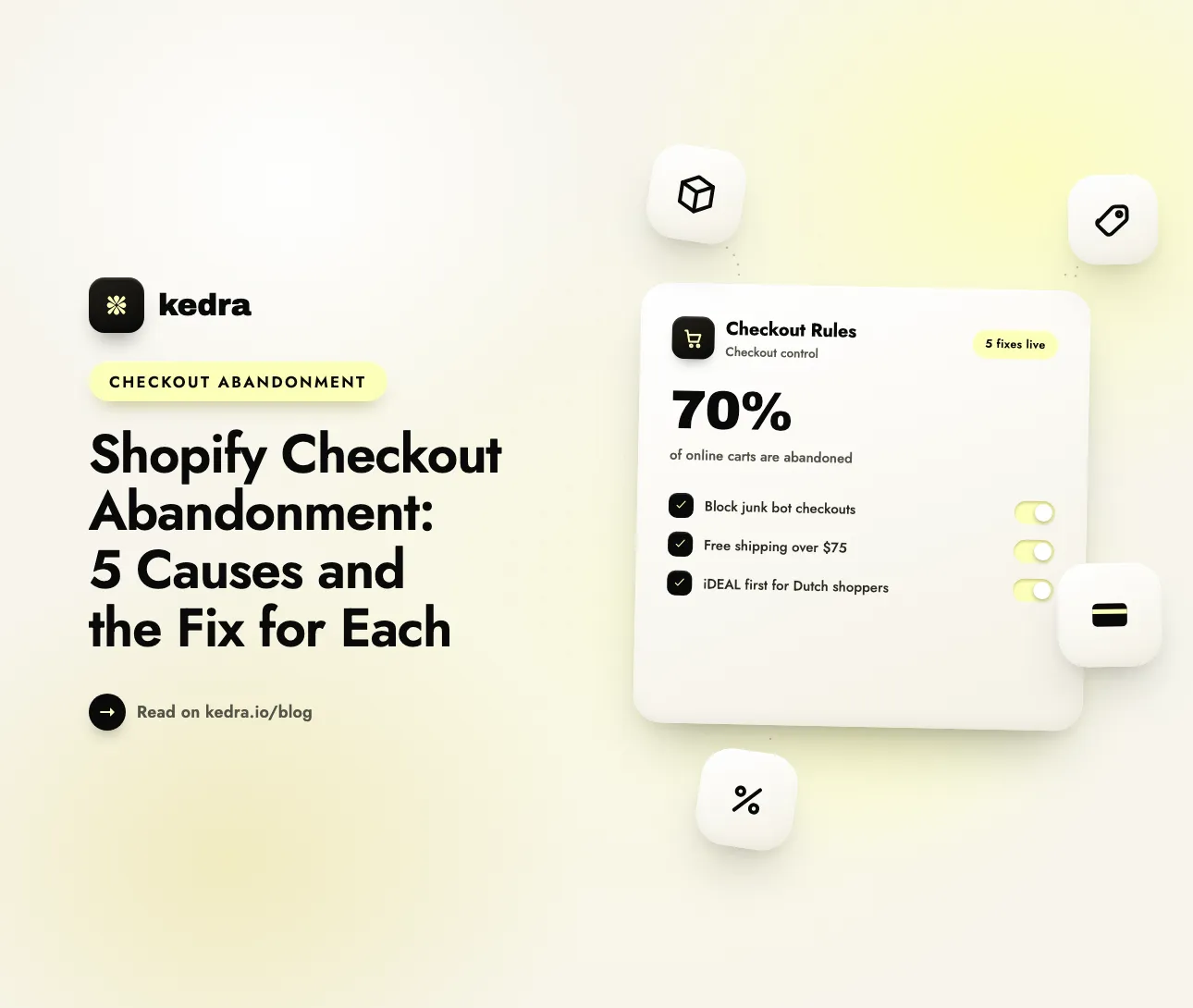
Shopify checkout abandonment has five causes you can fix inside checkout itself: bots that start fake checkouts, shipping costs that appear at the last step, vague delivery times, a payment step shoppers don’t trust, and a cluttered list of options. Each one has a matching if-then checkout rule that hides, renames, reorders, discounts, or blocks.
The stakes are large. Baymard Institute puts the average documented online cart abandonment rate at 70.22%, based on 50 studies (page updated September 2025), and estimates that the average large ecommerce site “can gain a 35.26% increase in conversion rate” through better checkout design. The useful part is that the reasons shoppers give for leaving are concrete - extra costs, slow delivery, a payment step they don’t trust - and several of them can be fixed at the exact moment the shopper decides.

Table of contents
- What is checkout abandonment on Shopify?
- Why do shoppers abandon checkout? The 2025 data
- Cause 1: Are bots creating fake abandoned checkouts?
- Cause 2: Are surprise shipping costs driving shoppers away?
- Cause 3: Does your delivery look slow or vague?
- Cause 4: Do shoppers trust your payment step?
- Cause 5: Is your checkout cluttered with options that don’t apply?
- Which abandonment causes can’t a checkout rule fix?
- How to set up these fixes with Kedra Checkout Rules
- Frequently asked questions
What is checkout abandonment on Shopify?
Checkout abandonment is when a shopper starts checkout, enters their contact details, and leaves without placing the order. It is narrower than cart abandonment, which also counts everyone who adds a product to the cart but never reaches checkout.
Shopify draws the line precisely. According to the Shopify Help Center, “A checkout is considered abandoned if it remains incomplete for more than ten minutes after the customer has provided their email information.” Those checkouts collect in your admin under Orders → Abandoned checkouts, where you can see each cart and send, or automate, a recovery email that links back to it.
Two details from the same help page shape everything below:
- You can’t clean the list. “There is no way to manually delete a specific abandoned checkout.” Shopify deletes abandoned checkouts automatically once they are older than three months - until then, every entry counts.
- Anything that types an email counts. A bot that fills in the email field and gives up is recorded exactly like a real shopper who got cold feet.
That second point is why the first cause on this list isn’t a shopper at all.
Why do shoppers abandon checkout? The 2025 data
Shoppers abandon checkout mostly because of extra costs, slow delivery, and distrust of the payment step. Baymard Institute’s survey of US online shoppers asks people who abandoned an order during checkout in the past three months why they left. After setting aside the most common answer (“just browsing” or not ready to buy), these are the reasons a store can act on - and where a checkout rule can help:
| Reason for abandoning checkout | Share of shoppers | Can a checkout rule help? | What fixes it |
|---|---|---|---|
| Extra costs too high (shipping, tax, fees) | 40% | Yes | Conditional free or discounted shipping; cheapest rate first |
| Delivery was too slow | 20% | Partly | Delivery times in rate names; the right option first |
| Didn’t trust the site with credit card information | 19% | Partly | Clear payment names; familiar local methods first |
| The site wanted me to create an account | 18% | No | Keep guest checkout available |
| Too long / complicated checkout process | 17% | Partly | Hide options that don’t apply to this shopper |
| Website had errors / crashed | 17% | No | Test theme, apps, and checkout after every change |
| Returns policy wasn’t satisfactory | 13% | No | A clear, easy-to-find returns policy |
| Couldn’t see / calculate total order cost up-front | 12% | No | Show shipping costs on product and cart pages |
| The credit card was declined | 10% | No | Keep an alternative payment method visible |
| There weren’t enough payment methods | 9% | Partly | Rules can’t add a provider, but can surface the right one |
Source: Baymard Institute, cart abandonment rate statistics, page updated September 2025. Respondents could pick more than one reason.
One thing the survey can’t show: bots don’t answer surveys. Card testers and junk-form scripts never appear in Baymard’s chart, but they can fill your Shopify abandoned-checkout list - so they’re cause #1 here. Clear out that noise first, and every other number you track becomes trustworthy.
Every fix below is a rule you can build in Kedra Checkout Rules, a no-code Shopify checkout customizer that runs on Shopify’s checkout extensibility. See what I can build with Kedra Checkout Rules →
Cause 1: Are bots creating fake abandoned checkouts?
Often, yes. Bots and card testers start checkouts with junk details, and each attempt that reaches the email field is recorded as an abandoned checkout. A checkout validation rule that describes the junk pattern blocks those attempts before an order can be placed - without removing the cheap or free products the bots target.
The problem
Shopify defines card testing plainly: “Card testing, also known as carding, account testing, and card enumeration, is a type of fraudulent activity where someone uses automated scripts to test whether stolen card details are valid.” Merchants posting in Shopify’s own community forums in 2026 describe what it does to a store:
- March 2026: a merchant reported hundreds of fake abandoned checkouts a day aimed at a newly added $5 product, with abandoned checkouts up 18.4% over four weeks despite reCAPTCHA, Shopify’s fraud tools, and Shopify Flow.
- April 2026: a UK store on the Basic plan fought low-value card-testing checkouts for about six weeks. What finally stopped it was marking its low-value items as out of stock, and the owner switched off automated abandoned-cart emails because the store’s mail was being identified as spam.
- June 2026: another merchant counted 225+ fraudulent $2 orders a month, with repeated shipping addresses and look-alike email patterns.
A developer replying in the April thread explained why storefront defenses often disappoint: “Card testers often hit the checkout API directly and never load your cart page, so reCAPTCHA there can end up doing nothing while adding friction for real customers.”
The usual advice - remove the cheap or free products - stops the attack by also stopping real sales. There is a better lever: bot traffic repeats itself. The same fake name, such as “James James”, the same address, such as “street 10” with “apt 2”, the same throwaway email domain on every attempt. Repetition is a pattern, and a pattern can be blocked.
The checkout rules that block it
Each of these is a Checkout validation rule: when the conditions match, checkout stops and the shopper sees an error message. Copy the exact junk strings from your own abandoned-checkout list rather than guessing.
| If (conditions) | Then |
|---|---|
| Full name (First name + Last name) → Equals to → “James James” | Block checkout |
| Address line 1 → Contains string → “street 10” AND Address line 2 → Contains string → “apt 2” | Block checkout |
| Email address → Contains string → “@mailinator.com” (one OR group per throwaway domain) | Block checkout |
| Order total amount → Equals to → 0 AND Customer is not logged in | Block checkout - free items stay available to signed-in customers |
| Missing house number | Block with “Please add your house or building number” - a real buyer fixes it in seconds; a script that reuses junk keeps failing |
Skip the house-number rule if you ship to regions where addresses often have no number. And if an attack hammers one cheap product, a minimum order value - the simplest of order limits - makes that product useless for testing while the attack lasts: block when Order subtotal amount → Is less than → 10 AND Customer is not logged in.
Keep login-based rules that narrow. In Baymard’s data, 18% of shoppers abandoned because a site wanted them to create an account, so never put your whole checkout behind a login. A determined attacker can also script account creation, so treat the login condition as one layer next to the pattern rules, not a wall.
What changes - and what doesn’t
Validation rules run as Shopify Functions. In Shopify’s words, “Validation functions run on Shopify’s servers and can block checkout progress when business rules aren’t met,” which gives “reliable enforcement of business logic that can’t be bypassed by customers” (Shopify.dev). A script that skips your storefront and goes straight to checkout still hits the rule, and Shopify’s validation API documentation confirms the checks also cover “express checkouts, such as Shop Pay, PayPal, Google Pay, and Apple Pay.”
The result: the bot can’t place the fake order or use your checkout to test a card, and your free or low-priced products stay on sale for real customers.
One honest limitation: Shopify records an abandoned checkout once an email has been entered and the checkout sits incomplete for ten minutes, so blocked bot attempts can still show up in the list until they age out after three months. What changes is that those entries no longer become fake orders or card tests. To stop bots before they reach checkout at all - by IP, country, or VPN - see our guide to stopping card-testing attacks on Shopify.
Cause 2: Are surprise shipping costs driving shoppers away?
Yes - extra costs are the single biggest reason. In Baymard’s data, 40% of shoppers who abandoned checkout left because shipping, tax, or fees were too high. A conditional shipping discount fixes the most common version of the problem: a price that jumps at the last step.
The problem
A $50 item becomes $62 once shipping appears. Many shoppers open checkout only to learn the real total, then compare it with another store. Shopify can already handle the simplest case natively - a free shipping discount above one order value for everyone. The gaps appear when the right offer depends on which rate, which customer, or which products are in the cart.
The rules that fix it
- Discount shipping, one method only: 100% off “Standard” when Order subtotal amount → Is greater than → 75. Express keeps its price, so the free option is the obvious choice and your margin on fast delivery stays intact.
- Discount shipping for loyal customers: 50% off shipping when Customer tag → Equals to → “VIP”, with a label shoppers see at checkout, such as “VIP Discount”.
- Discount shipping at a flat price: set “Standard” to a fixed $4.99 for a country where your carrier rate is high, so the number at checkout matches the shipping price you advertise.
- Reorder shipping methods by price: put the cheapest option first, so the first number a shopper sees is the lowest one.
Discount rules never raise a price: if a “fixed price” is higher than the original rate, the original rate stays. The value is that the shopper sees a lower, or zero, shipping line at the exact moment of decision.
Rules work inside checkout, though, and the 12% of shoppers in Baymard’s data who “couldn’t see / calculate total order cost up-front” needed that number before checkout. Put your free-shipping threshold on product and cart pages too. If you haven’t picked that number yet, start with how to find your free shipping threshold.

Cause 3: Does your delivery look slow or vague?
Delivery was too slow for 20% of shoppers who abandoned checkout in Baymard’s survey. A checkout rule can’t make a courier faster, but it can stop a vague label from making delivery look slower than it is - and put the option a shopper wants where they will see it.
The problem
A rate called “Standard” makes no promise, so the shopper assumes the worst. Carrier-calculated rates can arrive with service names that mean nothing to a shopper, and one rate name often has to cover very different transit times for domestic and international orders.
The rules that fix it
- Rename shipping methods: “Standard” → “Standard (3-5 business days)”. Match with Equals to and the exact original name, so a rule meant for “Standard” doesn’t also rename “Standard Express”.
- Rename by destination: “Economy” → “Economy (7-14 business days)” when Country → Not equals to → your home country.
- Rename by time of day: “Express” → “Express - ships today” when Time of the day → Is before → your dispatch cut-off, if you genuinely dispatch same-day orders placed before it.
- Reorder shipping methods: lead with the option that fits the order - the cheapest for small baskets, or a custom ranking that puts your fastest affordable service first.
Check your live checkout before you rename anything: some rates already show an estimated delivery time and don’t need a new label. For naming ideas that also carry your brand voice, see how to rename shipping methods in Shopify.
Cause 4: Do shoppers trust your payment step?
Not always. In Baymard’s data, 19% of shoppers abandoned because they didn’t trust the site with their credit card information, and 9% because there weren’t enough payment methods. A rule can’t add a payment provider, but it can make sure the method a shopper expects is visible, clearly named, and near the top.
The problem
The payment step is the last step: the shopper has already decided to buy. Doubt creeps in when the list doesn’t match what they expected to see:
- Their usual method is missing or buried. Local habits are strong. The Dutch Payments Association reports that in 2025 “iDEAL remains the most widely used payment method, accounting for 71% of all online purchases, followed by credit cards (8%) and direct debits (5%).” A Dutch shopper who has to scroll past card options to find iDEAL feels the store wasn’t built for them.
- A gateway name looks unfamiliar. A redirect gateway listed as “Credit card and other payment methods” right under “Credit card” looks like a duplicate, and a processor’s company name looks like a third party nobody asked for.
- The list doesn’t adapt on its own. Shopify’s admin settings don’t offer a way to reorder or rename payment methods per country or per type of customer - that takes a payment customization function, usually through an app.
The rules that fix it
- Reorder payment methods: when Country → Equals to → Netherlands, rank iDEAL first. Repeat for each market with the method your own order data shows those shoppers prefer.
- Rename payment methods: “Credit card and other payment methods” → “Apple Pay, Google Pay & more”, or a card processor’s company name → “Credit or debit card (Visa, Mastercard, Amex)”.
- Hide payment methods: hide “Bank deposit” when Customer is not logged in, so new shoppers see a short, familiar list while returning customers keep the option.
Know the platform limits before you plan. Hiding, renaming, or reordering the default Shopify Payments credit card method requires Shopify Plus, and Shopify’s payment customization documentation states: “You can’t rename payment methods that have logos as a name, such as Shop Pay, Apple Pay and Google Pay.” Third-party and manual payment methods can be hidden, renamed, and reordered on any plan.
Removing that last moment of doubt costs nothing per order, and it happens at the step where the shopper is closest to paying. For ranking strategy, read how to reorder payment methods in Shopify for higher conversions.
Cause 5: Is your checkout cluttered with options that don’t apply?
In Baymard’s data, 17% of shoppers abandoned because the checkout process was too long or complicated. Shopify’s checkout layout is already streamlined, so on most stores the clutter comes from options that don’t apply to this particular shopper. Hiding those makes the remaining choice obvious.
- Hide shipping methods by type: hide Pickup when City / Area → Not equals to → your city, so a shopper three hours away doesn’t scroll past your pickup locations.
- Hide payment methods: hide “Cash on Delivery” when Country → Not equals to → your home country.
- Show only selected shipping methods: show only “Standard Shipping” when Order total weight → Is greater than a weight you can’t send overnight, so heavy orders never offer a rate you can’t honor.
Every option you remove is one less decision between the shopper and the final button. Our guide on how many payment options is too many covers where to draw the line.
Which abandonment causes can’t a checkout rule fix?
Checkout rules change what shoppers see and can do inside checkout; they don’t change your store policies, your theme, or your payment processor. Five of the reasons in Baymard’s list sit mostly outside checkout rules:
- Forced account creation (18%). Keep guest checkout available. If your customer account settings require sign-in before checkout, make it optional - and keep login-based rules as narrow as the bot rules above.
- Errors and crashes (17%). Place a test order after every theme change or app install.
- A weak returns policy (13%). Publish a clear policy and make it easy to find before checkout.
- Total cost hidden until checkout (12%). Show shipping costs, or your free-shipping threshold, on product and cart pages.
- Declined cards (10%). That’s between the bank and your processor; the checkout-side fix is keeping a second payment method visible.
Matching each cause to the right lever saves you from expecting a checkout rule to solve a policy problem - or a policy change to fix a confusing payment list.
How to set up these fixes with Kedra Checkout Rules
Kedra Checkout Rules handles every rule-based fix above from one app, built on Shopify’s checkout extensibility. Each rule follows the same pattern - if these conditions match, then take this action - and you choose from 50+ conditions, including country, cart value, products, email, name, address, login status, previous orders, and lifetime spend. Rules run as Shopify Functions inside Shopify’s checkout, so they apply to every shopper on every device, on both one-page and three-page checkout.
Set up your first rule in five steps
- Install Kedra Checkout Rules from the Shopify App Store and open it from your Shopify admin.
- Click Create rule and pick the rule type that matches the cause: Checkout validation for bots, Discount shipping for costs, Rename or Reorder shipping methods for delivery, Hide, Rename, or Reorder payment methods for trust, and Hide shipping methods for clutter.
- Set the trigger to On condition and add your conditions. Conditions inside a group combine with AND; separate groups combine with OR.
- Save the rule with Test status. A Test rule only runs when the checkout email is
[email protected], so you can run a full checkout on your live store without affecting real shoppers. - Switch the rule to Active once it behaves as expected, then watch Orders → Abandoned checkouts over the following weeks.
Abandonment fix cheat sheet
| Cause | Rule type | Example condition | Action |
|---|---|---|---|
| Junk bot checkouts | Checkout validation | Full name → Equals to → “James James” | Block with a message |
| Card testing on free items | Checkout validation | Order total amount → Equals to → 0 AND Customer is not logged in | Block |
| Surprise shipping costs | Discount shipping | Order subtotal amount → Is greater than → 75 | 100% off “Standard” |
| Vague delivery | Rename shipping methods | Always | ”Standard” → “Standard (3-5 business days)“ |
| Missing local method | Reorder payment methods | Country → Equals to → Netherlands | iDEAL ranked first |
| Confusing gateway name | Rename payment methods | Always | ”Credit card and other payment methods” → “Apple Pay, Google Pay & more” |
| Cluttered options | Hide shipping methods | City / Area → Not equals to → your city | Hide Pickup |
Which plan do you need?
Plan limits count active rules per rule type - checkout validation, payment (hide, rename, and reorder together), shipping, and shipping discount:
- Free: 1 active rule per rule type with 1 condition per rule, so you can run one fix of each type at the same time. Validation rules use a standard error message.
- Starter ($6.99/month): 3 active rules per type and 3 conditions per rule - enough for two-condition rules like the “street 10” / “apt 2” block - plus your own checkout error messages.
- Starter Plus ($8.99/month): everything in Starter, plus post-purchase upsell offers.
- Unlimited ($12.99/month): unlimited active rules and conditions per rule.
Every paid plan includes a 7-day free trial, and yearly billing saves 30%.
Fix my checkout’s biggest leak - install Kedra Checkout Rules
Customize your Shopify checkout with Kedra Checkout Rules
Kedra Checkout Rules is a Shopify checkout customizer built on Shopify’s checkout extensibility - the upgrade-safe framework that replaced checkout.liquid and Scripts. It delivers no-code checkout customization: hide, rename, and reorder payment and shipping methods, validate risky orders, and set order limits, so you can customize your checkout with conditional rules instead of developer time.
Learn more about how Shopify checkout customization compares to native Plus tools.
Frequently asked questions
What is a good checkout abandonment rate for Shopify stores?
There is no official Shopify benchmark. The most cited reference is Baymard Institute’s average documented online cart abandonment rate of 70.22%, based on 50 studies across ecommerce. Rates vary by category, device, and traffic source, so track your own rate month over month - after filtering out bot checkouts, which inflate it without representing real shoppers.
Why does my Shopify store have so many fake abandoned checkouts?
Usually bots or card testers. Shopify records a checkout as abandoned when it stays incomplete for more than ten minutes after an email is entered, so every scripted attempt that reaches the email field lands in your list. Repeated names, addresses, or email domains are the giveaway - and that repetition is exactly what a checkout validation rule can block.
Can I delete abandoned checkouts in Shopify?
No. Shopify’s Help Center states that “There is no way to manually delete a specific abandoned checkout.” Abandoned checkouts older than three months are deleted automatically. The practical fix is prevention: a checkout validation rule that matches the junk pattern stops bots from completing fake orders, even though their attempts may still be recorded.
Do checkout rules work with Shop Pay, Apple Pay, and Google Pay?
Validation rules do. Shopify’s documentation says cart and checkout validation covers express checkouts such as Shop Pay, PayPal, Google Pay, and Apple Pay. Renaming is different: Shopify doesn’t allow renaming payment methods whose name is a logo, such as Shop Pay, Apple Pay, and Google Pay, so rename rules apply to your other methods.
Do I need Shopify Plus to customize my checkout?
No. Apps built on checkout extensibility let you customize your checkout on any Shopify plan: validation rules, shipping discounts, hiding or renaming shipping methods, and hiding, renaming, or reordering third-party and manual payment methods. The one exception is the default Shopify Payments credit card method, which only Shopify Plus stores can hide, rename, or reorder.
Start with your biggest leak
Checkout abandonment looks like one number, but it is several problems stacked together: bots padding the count, costs that appear too late, delivery promises that are too vague, a payment step that raises doubt, and options that don’t apply. Start by clearing out the bot noise so your numbers are trustworthy, then fix the biggest real cause for your store first, test each rule, and compare your abandoned-checkout list week over week.
Each fix is a single rule, and the free plan runs one rule of each type at once, so you can start with the cause that costs you most and add the next when the first one proves itself.
Start fixing my checkout - install Kedra Checkout Rules (free plan available; paid plans from $6.99/month)